






As your business grows, your SMS marketing strategy must evolve with it. What was once the perfect platform may no longer be enough as your operations, database, and automation complexity expand.
Migrating to a new SMS platform may seem like a technical and time-consuming process, but—with the right planning—it can be done smoothly, securely, and without interruptions to your campaigns.
A step-by-step technical guide to moving your SMS marketing program to a new platform
In this guide, we’ll walk through how to prepare your migration, correctly export and import your data, avoid data loss, and ensure the transition maintains (or even improves) your SMS campaign deliverability and performance.
1. How to Prepare for SMS Migration
Before switching providers or platforms, the first step is to perform a complete audit of your current system. A successful migration always starts with technical preparation and detailed documentation.
1.1. Audit Your Current Setup
Record the performance of forms, campaigns, and automated flows.
Identify your best-performing messages and your most engaged segments.
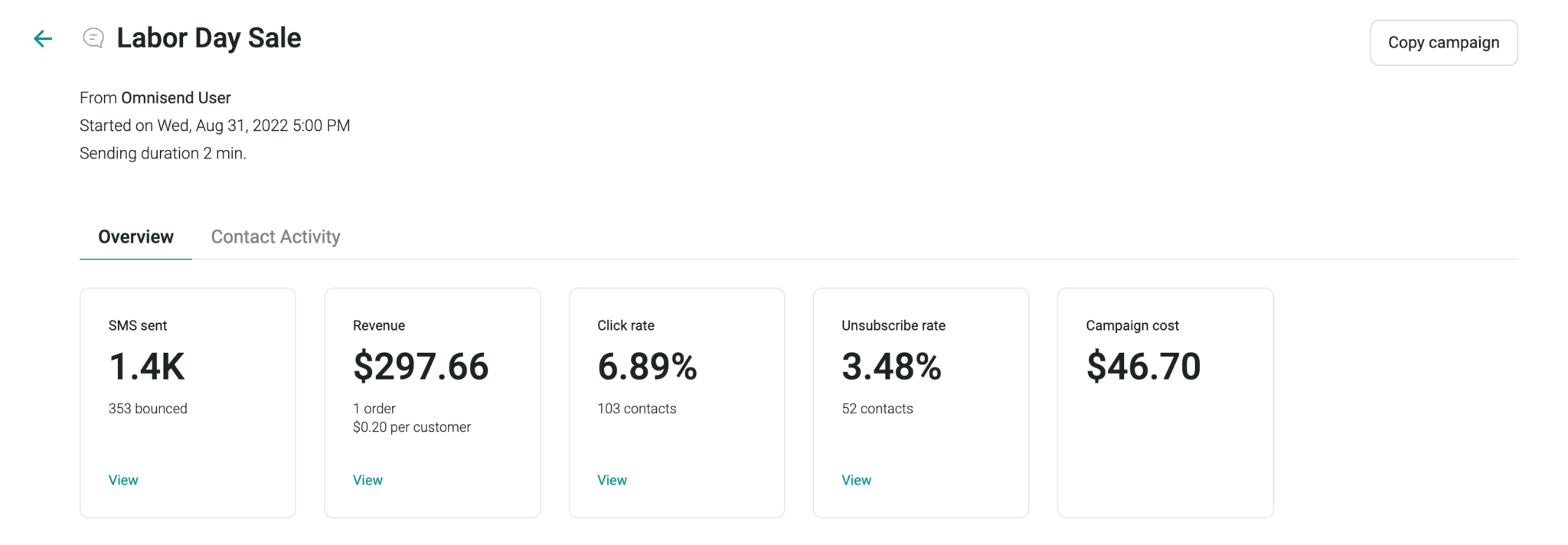
Analyse key metrics such as delivery rates, clicks, and conversions — these will serve as a benchmark for optimisation in the new platform.
1.2. Map Your Automated Flows
Document each existing flow, including:
- Welcome messages, abandoned cart reminders, post-purchase, winback sequences, etc.
- Trigger rules (timing, behaviour, segmentation).
- Content and associated links.
This step is crucial to replicate automations in the new system without losing continuity.
1.3. Review Attribution Windows and Metrics
Different platforms measure results differently. Make sure you understand:
- How long a conversion is attributed to an SMS (e.g. 1 day, 7 days, 30 days).
- How clicks and conversions are tracked.
Understanding these differences helps avoid confusion in reporting after migration.
1.4. Communicate the Migration Plan Internally
Share with your team and stakeholders:
- Migration timeline and any potential downtime.
- Changes in reports and integrations.
- New features or workflows introduced by the new platform.
1.5. If You’re Changing Numbers
If you’ll be switching from a short code, long number, or branded sender ID, send one final message from your old number:
- Identify your brand and announce the new number.
- Notify subscribers of the transition.
- Always include opt-out instructions (“Text STOP to unsubscribe”).
2. How to Export Data from Your Current Platform
Most SMS providers don’t allow you to directly export all your data. You may need to formally request access. Plan ahead — once you lose access to the old platform, data recovery isn’t possible.
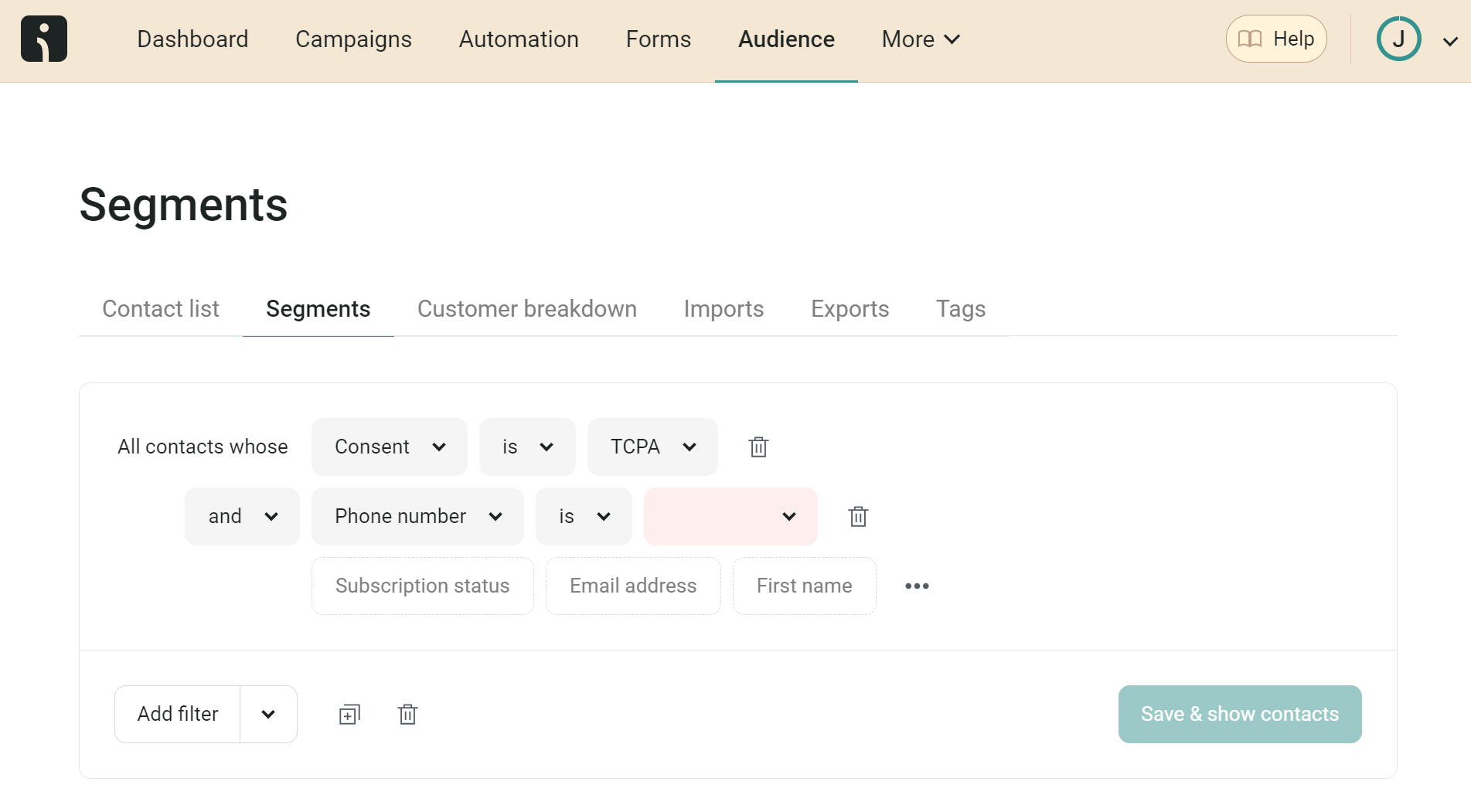
2.1. Prioritise Opt-In and Opt-Out Records
These are essential to comply with regulations such as GDPR and TCPA. Each record should include:
- Phone number
- Date and time of opt-in
- Consent source (form, checkout, etc.)
- Opt-out date and reason
Never import contacts without proof of consent.
2.2. Export Your Full Subscriber Base
Include:
- Custom fields and profile properties
- Segments and tags
- Campaign and engagement history
- Customer preferences and list groups
2.3. Document Your Current Configuration
Record:
- Automation settings
- Message templates
- Segmentation rules
- Form and integration configurations
2.4. Timelines and Considerations
- If you have direct export access: expect a few days.
- If a formal request is needed: it may take several weeks.
- Short code portability can take 1–2 months.
- If operating in multiple countries, export lists separately — it will simplify import later.
3. How to Import Data into the New Platform
After exporting, ensure your data is imported cleanly, consistently, and in a compatible format.
3.1. Before Importing
Check the format:
- All numbers must include the international prefix.
- Remove spaces and special characters.
- Standardise date formats.
Make sure that:
- Opt-out contacts are stored in a separate CSV file.
- Internal records of opt-outs are kept for reference.
- You create a new dedicated SMS list with double opt-in enabled.
3.2. During and After Import
- Set up forms and welcome flows before reactivating campaigns.
- Test automations with small segments first.
- Recreate key segments (e.g. new customers, cart abandoners, inactive, VIP).
- Reschedule your SMS flows and campaign calendar.
4. Migration Success Stories and Practical Scenarios
When properly planned, SMS migration can deliver immediate results. Typical examples include:
- Online fashion retailer: Consolidating email and SMS into one platform reduced campaign management time by 40% and increased engagement by 25%.
- DTC cosmetics brand: Added “back in stock” and loyalty reminder automations after migration — achieving a 30% increase in revenue per subscriber.
- Electronics eCommerce: Used dynamic segmentation and CRM syncing, improving conversion rates by 18% in promotional SMS campaigns.
Migration isn’t just a technical change — it’s an opportunity to enhance workflows, segmentation, and overall marketing performance.
5. Frequently Asked Questions about SMS Migration
How long does the migration process take?
It depends on your data complexity and the cooperation of your current provider. Data export can take 1–3 weeks, while setting up and testing the new platform typically takes 2–5 business days.
Will I lose data during migration?
Exportable data varies by provider. Historical performance data (clicks, revenue, etc.) usually won’t transfer, but subscriber and consent data must always be preserved.
Can I keep campaigns active during migration?
Ideally, pause automations and forms before exporting to avoid discrepancies. Number portability may require a few days of downtime.
How can I ensure legal compliance?
Confirm that both platforms comply with GDPR, TCPA, and CSPAM. Never message contacts without valid consent and keep all opt-in records on file.
When will I start seeing results after migration?
Typically within 30–60 days after reactivating campaigns and automations. Monitor delivery rates, click-throughs, and new sign-ups to measure impact.
Marketing Automation Support and Technical Consultancy
Migrating your SMS marketing program is a technical task that requires precision, but the benefits are clear: improved deliverability, deeper integration across channels, and stronger control over data and performance.
By carefully preparing each stage — from data export to automation setup — you can ensure a seamless transition and build a more powerful system for future growth.
If you’d like expert support to optimise your migration and build smart SMS flows that maximise ROI, book a free marketing automation audit.