






Many eCommerce brands operate under the comforting illusion that a massive subscriber list is the ultimate driver of revenue expansion, assuming that as long as the numbers are high, the growth will follow. But what if your bulk-sending strategy is actually acting as a silent ceiling on your profits? For high-growth stores, the hidden cost of inaction regarding email hygiene is a deteriorating sender reputation that triggers aggressive spam filters, effectively leaving money on the table by ensuring your most valuable offers never even reach the customer’s inbox.
The hard reality is that high email bounce rates are not just a technical nuisance; they are a direct threat to your Customer Lifetime Value (LTV) and long-term deliverability. In an era where mailbox providers use sophisticated algorithms to judge brand credibility, ignoring a bloated bounce rate is a recipe for stalled scaling. This guide outlines 11 tried-and-tested tactics to decrease your bounce rate, allowing you to reclaim your inbox placement and transform your email list into a high-performance engine for reliable, automated revenue growth.
What is an email bounce rate?
An email bounce rate is a critical deliverability metric that measures the percentage of your total sent messages that could not be delivered to the recipient’s inbox. For a high-growth WooCommerce store, this isn’t just a technical stat; it is a direct indicator of your database health and sender reputation. When an email server rejects your message, it sends a “bounce” notification back to your system, signaling that the communication loop has been broken.
- Hard Bounce: A permanent delivery failure caused by an invalid, non-existent, or blocked email address. These must be removed from your list immediately to prevent domain blacklisting.
- Soft Bounce: A temporary delivery issue, often due to a full recipient mailbox or a transient server reaching its capacity. While these may eventually deliver, repeated soft bounces can indicate an inactive account.
Maintaining a low bounce rate—ideally under 2%—is vital for ensuring your marketing and transactional messages bypass spam filters. High bounce rates signal to Inbox Service Providers (ISPs) like Gmail and Outlook that you may be practicing poor list hygiene or sending unsolicited content, which can lead to your legitimate emails being throttled or blocked entirely, directly impacting your revenue potential.
Why is my WooCommerce email bounce rate so high?
For high-growth WooCommerce stores, a sudden spike in bounce rates often indicates a disconnect between your customer acquisition channels and your technical sending infrastructure. When your bounce rate exceeds the 2% safety threshold, it typically signals that your list contains outdated data or that your domain has failed the increasingly stringent authentication checks implemented by major mailbox providers like Google and Yahoo. Failing to address these failures immediately can lead to a degraded sender reputation, causing even your most critical transactional emails to be diverted to the spam folder.
- Natural List Decay: Email databases naturally deteriorate by approximately 22.5% annually as customers change jobs, abandon old accounts, or deactivate domains, turning once-valid leads into hard bounces.
- Lack of Real-Time Verification: Without a verification tool or double opt-in process at your WooCommerce checkout or sign-up forms, typos and disposable email addresses enter your database, driving up immediate bounce counts.
- Authentication Failures: If your SPF, DKIM, or DMARC records are misconfigured or missing, recipient servers may reject your emails entirely, resulting in policy-related bounces that signal a lack of technical trust.
- Infrastructure Bottlenecks: Sudden surges in volume or using a “cold” IP address without a proper warm-up period can trigger rate-limiting and soft bounces as ISPs protect their users from suspected spam spikes.
To restore your deliverability, you must transition from reactive monitoring to proactive list hygiene. Start by auditing your bounce logs to differentiate between permanent hard bounces and temporary soft bounces. Implementing a automated cleaning cadence to remove invalid addresses and ensuring your domain is fully authenticated will safeguard your sender reputation and ensure your mission-critical notifications reach your customers’ inboxes reliably.
How to reduce email bounce rate for better deliverability?
Reducing your email bounce rate is a technical necessity for maintaining the sender reputation required to scale a WooCommerce store. High bounce rates act as a primary signal to ISPs that your list hygiene is neglected, often leading to your domain being throttled or blacklisted. To protect your deliverability, you must transition from reactive list management to a proactive framework that filters out invalid data before it can contaminate your sending metrics.
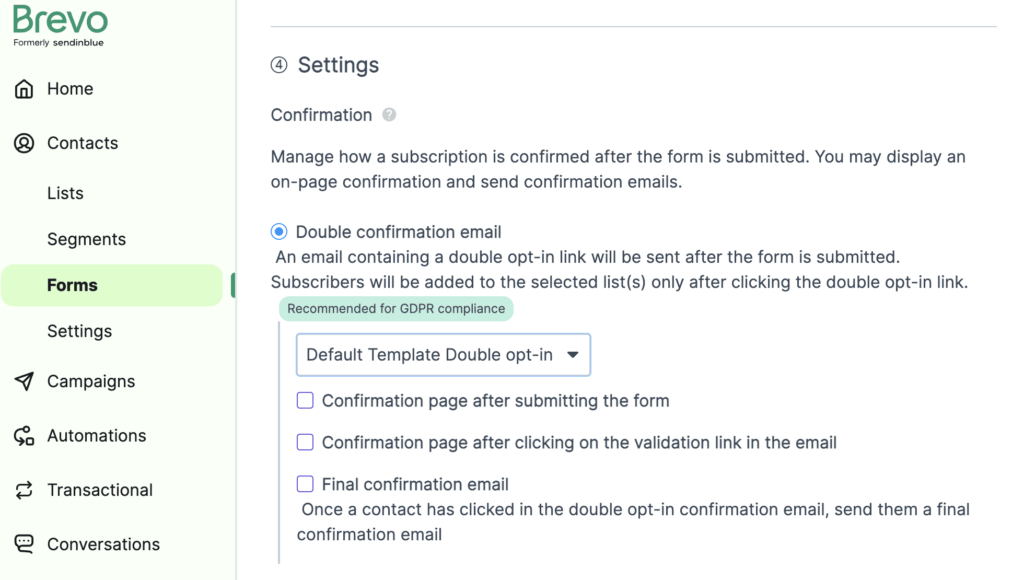
- Implement Double Opt-In: Use a confirmation email to verify every new subscriber, ensuring that only valid, active addresses enter your database and effectively eliminating bot-driven signups.
- Automated Hard Bounce Suppression: Configure your email service provider to immediately and permanently remove hard bounces from your active lists to prevent repeat delivery failures that damage your sender score.
- Quarterly List Validation: Utilize third-party verification tools every 90 days to identify and scrub “stale” addresses or dormant accounts that have become undeliverable since their initial signup.
Beyond basic cleaning, optimizing your infrastructure involves monitoring soft bounces—temporary failures like full inboxes—and setting threshold triggers to suppress contacts after three consecutive failures. By maintaining a clean, high-intent list, you ensure that your WooCommerce transactional and marketing flows reach the primary inbox, ultimately maximizing your customer lifetime value and return on ad spend.
What is the difference between a hard bounce and a soft bounce?
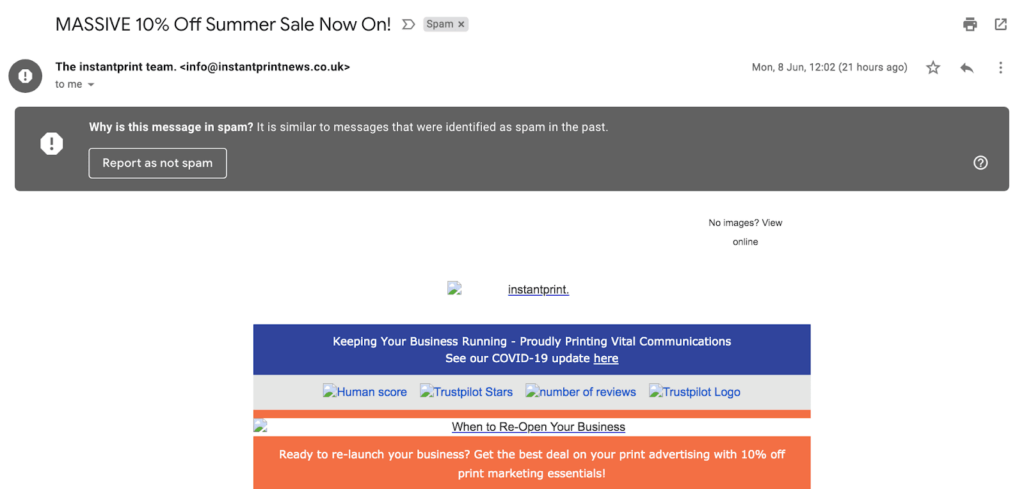
Understanding the distinction between hard and soft bounces is fundamental to maintaining the technical health of your WooCommerce store’s communication engine. While both represent a delivery failure, the primary difference lies in the permanence of the rejection. A hard bounce indicates a definitive “dead end” where the recipient server refuses to accept the message due to an unchangeable condition, whereas a soft bounce is a “temporary hurdle” that suggests the address is valid but currently unavailable.
- Hard Bounces: These are permanent failures, typically identified by SMTP 5xx error codes, caused by invalid email addresses, non-existent domains, or strict server blocks. In a high-growth eCommerce environment, these addresses must be removed immediately to prevent catastrophic damage to your sender reputation.
- Soft Bounces: These represent temporary issues, often marked by SMTP 4xx codes, such as a full customer inbox, temporary server outages, or message size limit violations. While these may resolve on their own, persistent soft bounces from the same address often signal an abandoned account and should eventually be reclassified as hard failures.
For a scaling brand, ignoring these signals is a strategic liability. High bounce rates act as a red flag to Inbox Service Providers (ISPs), who may respond by throttling your traffic or routing your transactional messages—like critical order confirmations—directly to the spam folder. Implementing automated bounce management ensures that your infrastructure remains lean, protecting your deliverability and maximizing the ROI of every campaign you deploy.
How do I calculate my email bounce rate in WooCommerce?
Calculating your email bounce rate is a fundamental diagnostic step for any WooCommerce store owner looking to protect their domain health and maximize revenue. At its simplest, the bounce rate is the percentage of your total sent emails that were rejected by the recipient’s mail server. By monitoring this metric, you can identify if your customer database is decaying or if your technical sending infrastructure is triggering spam filters, allowing you to take corrective action before your deliverability takes a permanent hit.
To calculate this metric accurately for your WooCommerce campaigns, you need to isolate your total bounces from your total delivery attempts. Use the following breakdown to understand the variables involved in the calculation:
- The Basic Formula: Divide the total number of bounced emails by the total number of emails sent, then multiply that result by 100 to get your percentage.
- Hard Bounce Segmentation: Focus on permanent failures, such as invalid or non-existent email addresses, as these are the primary drivers of sender reputation damage.
- Soft Bounce Monitoring: Track temporary failures, like full mailboxes or server outages, which can indicate timing issues or excessive message sizes that need optimization.
For a high-growth store, a healthy bounce rate should ideally remain under 2%. If your calculation consistently reveals a rate above 5%, it is a clear signal that your list hygiene or authentication protocols (like SPF, DKIM, and DMARC) require immediate technical intervention. Transitioning from manual calculations to an automated reporting tool can help you track these spikes in real-time, ensuring your transactional flows and marketing broadcasts continue to reach the primary inbox.

Ready to take your e-commerce to the next level?
If your retention efforts feel like they are stalling revenue expansion, or if you suspect that a decaying email list is quietly eroding your sender reputation, you are facing a structural barrier to growth. While technical tactics like list cleaning are essential, the business reality for high-growth WooCommerce brands is that deliverability is not just a vanity metric—it is a critical driver of Profit and LTV. Failing to maintain a healthy communication channel means leaving significant money on the table at every stage of the customer lifecycle, as mission-critical messages fail to reach the inbox of your most valuable subscribers.
Transitioning from reactive list maintenance to a high-performance, data-driven ecosystem requires a partner that acts as a strategic extension of your team. We specialize in building integrated eCommerce systems where CRM, automation, and advanced tracking operate in perfect concert to maximize ROAS and long-term retention. Our methodology eliminates guesswork through rigorous, conversion-focused audits designed to identify the exact technical bottlenecks in your funnel. If you are ready to stabilize your infrastructure and transform your email marketing into a precision-engineered engine for growth, book a free marketing automation audit today.