






We’ve all heard the mantra that high-impact growth is driven by creative copy and segment-perfect audiences. But what if this obsession with the front-end is leading brands astray while they leave massive amounts of money on the table? For many high-growth eCommerce businesses, the hidden cost of inaction lies in a misunderstood technical foundation: the SMTP server. When your transactional emails and bulk campaigns suffer from poor deliverability or latency, you aren’t just facing a technical glitch—you are witnessing a direct leak in your conversion rates and a steady erosion of Customer Lifetime Value.
The hard reality is that an inefficient email infrastructure acts as a silent drag on your entire revenue expansion strategy. In an ecosystem where every delayed order confirmation or missed promotional blast results in measurable churn, understanding the Simple Mail Transfer Protocol is not just for developers—it is a baseline requirement for any marketer serious about scaling. This guide demystifies the mechanics of SMTP servers to show you how to optimize your delivery engine, secure your brand’s reputation, and ensure that your high-converting flows actually reach the inbox instead of being lost in the digital void.
What is an SMTP server?
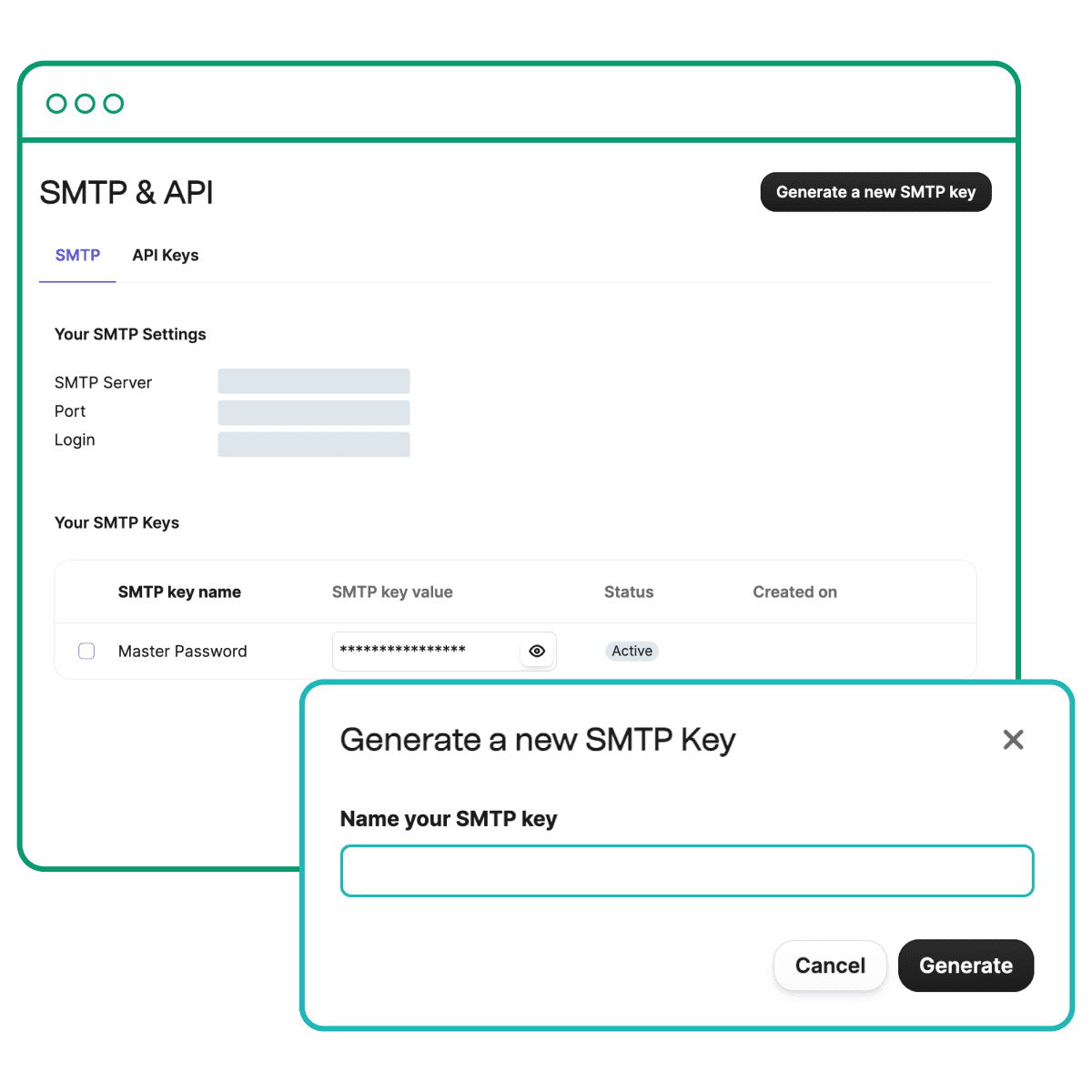
An SMTP (Simple Mail Transfer Protocol) server is the specialized engine responsible for the transmission, routing, and delivery of outgoing emails. While your WooCommerce store generates the data for an order confirmation or marketing blast, the SMTP server acts as the digital postal service, verifying sender credentials and ensuring the data packet reaches the recipient’s mail server. Without a properly configured SMTP server, your store’s communication remains localized, failing to reach the global network required for customer engagement.
- Protocol Standardization: It follows a universal set of rules that allows different email platforms to communicate seamlessly, ensuring a message sent from your server is readable by any inbox provider.
- Queue Management: The server handles the “store and forward” process, managing outgoing traffic volumes to prevent server overloads and retrying deliveries if the recipient server is temporarily unavailable.
- Authentication Layer: Modern SMTP servers enforce security checks to verify that the sender is authorized to use the domain, which is a critical step in preventing spoofing and protecting your brand’s sender reputation.
For high-growth eCommerce brands, relying on default web server mail functions often leads to deliverability issues and “silent” revenue leaks. Transitioning to a dedicated SMTP provider ensures that mission-critical transactional emails—such as password resets and shipping updates—bypass common filters and land directly in the inbox. This infrastructure is not just a technical requirement; it is a fundamental component of a scalable customer experience and a primary safeguard for your store’s conversion funnel.
How does an SMTP server work for eCommerce?
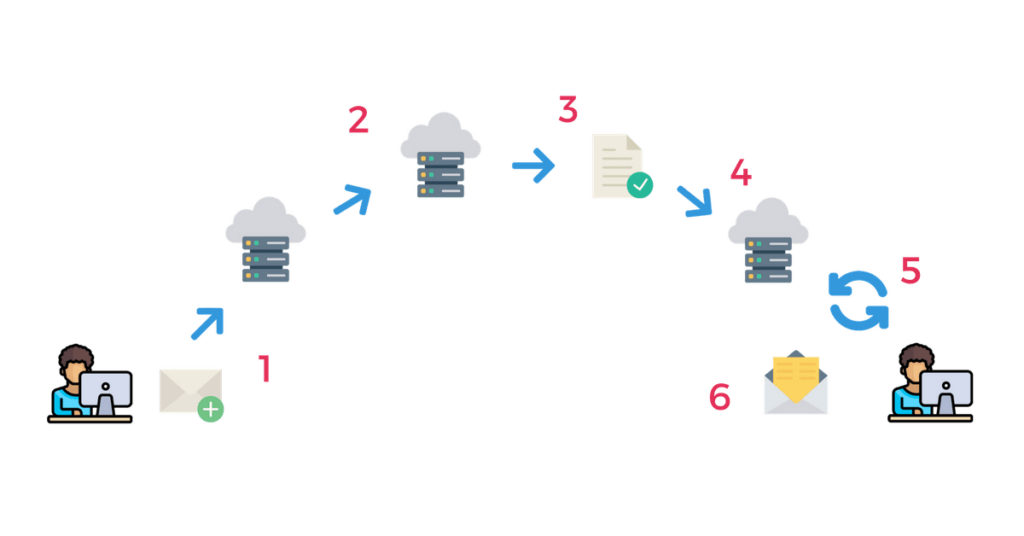
An SMTP server acts as the invisible digital relay that ensures your WooCommerce store’s communication reaches its destination. When a customer places an order, your website generates an email and sends it to the SMTP server, which then identifies the recipient’s mail server and “hands off” the data using a standardized set of rules. For high-growth eCommerce brands, relying on your web host’s default mail function is a common pitfall; these local servers often lack the authentication required by major providers like Gmail or Outlook, leading to your critical notifications being flagged as spam or blocked entirely.
- Handshake and Authentication: The process begins when your WooCommerce store connects to the SMTP server to verify sender credentials, ensuring the server has permission to broadcast on behalf of your domain.
- Mail Transfer and Routing: The server parses the recipient’s address, identifies the destination Mail Transfer Agent (MTA) via DNS records, and securely routes the message through the appropriate digital channels.
- Delivery and Response: Once the destination server accepts the email, it sends a confirmation back to the SMTP relay; if delivery fails, the SMTP server manages “bounces” to inform your system of the error.
By integrating a dedicated SMTP service into your WooCommerce environment, you bypass the restrictive firewalls and poor reputations of shared hosting IPs. This specialized infrastructure provides the necessary SPF, DKIM, and DMARC signatures that verify your brand’s identity, transforming your backend email protocol from a potential point of failure into a reliable engine for customer retention and revenue protection.
Why is an SMTP server important for email marketing?
For eCommerce brands, the default PHP mail function used by most hosting environments is often the single biggest bottleneck to reliable communication. An SMTP server is critical because it moves the responsibility of email delivery away from your web server and into the hands of specialized infrastructure designed to handle the complexities of global inbox placement. Without a dedicated SMTP server, your marketing campaigns and transactional alerts are frequently flagged as suspicious by receiving mail servers, as they lack the robust authentication required to prove the sender’s identity.
- Deliverability and Reputation: Professional SMTP providers manage the reputation of their IP addresses, ensuring that your emails bypass common spam filters and reach the primary inbox rather than being throttled or rejected by providers like Gmail or Yahoo.
- Scalability and Speed: Unlike local web servers that can struggle under the load of high-volume sends, an SMTP server is optimized for throughput, allowing you to scale your email marketing efforts without impacting the performance of your WooCommerce storefront.
- Advanced Authentication: Dedicated SMTP services simplify the implementation of critical security protocols, such as SPF, DKIM, and DMARC, which verify your domain’s authority and protect your brand equity from phishing and spoofing attempts.
By integrating a dedicated SMTP server into your WooCommerce stack, you ensure that every customer touchpoint—from flash sale announcements to automated recovery flows—is delivered with precision. This technical optimization directly correlates to higher open rates and, ultimately, a more stable return on your marketing investments.
How to send bulk emails using an SMTP server
To effectively send bulk emails using an SMTP server, you must bypass the standard PHP mail function, which is often throttled or flagged as spam by recipient servers. Instead, high-growth brands utilize a dedicated SMTP relay or an Email Service Provider (ESP) to route their traffic. This process involves establishing a secure connection between your application and a professional infrastructure designed specifically for high-throughput delivery, ensuring that your campaigns reach the inbox rather than the junk folder.
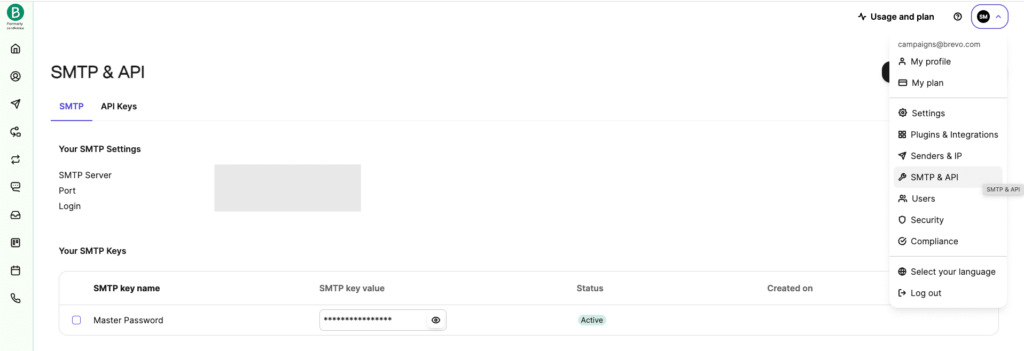
- SMTP Configuration: You must input the specific SMTP host, port (typically 587 for TLS), and authentication credentials into your mailer plugin to redirect outgoing traffic from your web server to the dedicated provider.
- Domain Authentication: Implementing SPF, DKIM, and DMARC records in your DNS is non-negotiable for bulk sending; these protocols verify your identity and prevent your domain from being spoofed.
- Throttling and Rate Limiting: Professional SMTP servers allow you to manage sending limits and connection concurrency, preventing your server from being overwhelmed during massive email blasts.
Once configured, the SMTP server handles the heavy lifting of queuing and relaying messages. For WooCommerce stores, this transition is critical for maintaining operational integrity during high-traffic events. By using a dedicated relay, you gain access to detailed delivery logs and bounce management, allowing you to optimize your sender reputation and scale your communication strategy without the technical bottlenecks associated with shared hosting environments.
What are the benefits of using a dedicated SMTP server for WooCommerce?
Relying on the default PHP mail() function is a common bottleneck for high-growth WooCommerce stores. Because most shared hosting environments lack the reputation and authentication protocols required by modern ISPs like Gmail and Yahoo, your critical transactional emails—order confirmations, password resets, and shipping updates—often bypass the inbox entirely. By routing these messages through a dedicated SMTP server, you replace an unauthenticated “best effort” delivery attempt with a secure, authenticated handshake that virtually guarantees your customers receive their post-purchase communications.
Switching to a dedicated SMTP provider offers several technical advantages that directly impact your store’s bottom line and operational efficiency:
- Enhanced Deliverability: Dedicated SMTP servers utilize established IP reputations and proper headers to ensure your emails are recognized as legitimate rather than spam.
- Cryptographic Authentication: Professional SMTP services allow you to easily implement SPF, DKIM, and DMARC records, providing the “digital ID card” required to pass modern mailbox provider security checks.
- Detailed Logs and Diagnostics: Unlike the silent failures of PHP mail, an SMTP server provides real-time tracking, allowing you to monitor delivery rates, bounces, and potential configuration errors before they impact customer trust.
From a growth perspective, the small investment in an SMTP setup is a critical safeguard for your Customer Lifetime Value. When a high-intent buyer completes a transaction, any delay or failure in receiving their confirmation creates immediate brand friction; a dedicated SMTP server ensures your backend infrastructure is as reliable as your storefront design.
Ready to take your e-commerce to the next level?
Understanding the technical architecture of an SMTP server is a fundamental step in securing your digital communication, but for high-growth WooCommerce stores, the business reality is that infrastructure is only as valuable as the revenue it generates. If your transactional messages are hitting spam folders or your marketing automation feels like a disconnected silo, you are facing a structural ceiling on your Profit and Customer Lifetime Value (LTV). Relying on default configurations or unoptimized protocols is a strategic risk that compromises your brand’s deliverability and prevents you from capturing peak customer intent at scale.
To transition from basic mail delivery to a high-performance growth engine, you need a partner that synchronizes your technical foundation with data-driven marketing objectives. We act as an extension of your in-house team, building resilient eCommerce systems where tracking, CRM, and automation work in perfect concert to maximize your ROAS. Our process begins with rigorous, conversion-focused audits that eliminate guesswork and identify the exact bottlenecks in your customer journey. If you are ready to optimize your infrastructure for long-term retention and growth, book a free marketing automation audit today.