






Many WooCommerce store owners focus intensely on paid acquisition or their latest email campaign’s open rate, believing that as long as their WordPress site is live, Google is finding every single product and landing page without issue. This assumption is the silent killer of organic revenue. You might think your internal site architecture is perfectly navigable for search bots, but relying solely on default discovery methods is the hidden cost of inaction—leaving valuable, high-LTV organic traffic on the table simply because a search engine bot missed a key path.
The reality for maximizing revenue expansion is that an optimized, submitted sitemap is not a technical afterthought; it’s a non-negotiable insurance policy for full visibility. When a proper sitemap is not correctly implemented, your core product pages, category deep-dives, and high-value content may be indexed slowly or not at all, directly inhibiting the growth of your customer base and overall lifetime value. This guide cuts through the technical noise, showing you precisely how to leverage a robust WordPress sitemap to secure full site visibility and unlock your true organic search potential.
Unlocking Hidden Revenue: How Sitemaps Drive Targeted Search Traffic
The primary function of an XML sitemap is to ensure comprehensive indexation, but for WooCommerce sites, it’s a strategic tool for directing quality traffic. Your sitemap communicates your site’s hierarchy and content priorities directly to Google’s crawlers, essentially acting as a map for their crawl budget. If your sitemap contains a high volume of low-value URLs—like filtered search result pages, expired promotions, or tag archives—you dilute the crawl budget and risk slowing the indexation of high-intent, revenue-driving pages, such as core product pages or high-converting landing pages. Properly optimizing your sitemap ensures search engines spend their precious crawl resources discovering and ranking the pages that matter most to your bottom line.
To explicitly guide search engines toward your most valuable content and unlock hidden revenue streams, you must leverage sitemap controls to manage index flow. This is where a robust SEO plugin offers a distinct advantage over default WordPress sitemaps, providing the granularity needed for strategic exclusion. Focus your sitemap on the following critical elements:
- Product Pages: Ensure all in-stock, high-margin products are included, and frequently update the ‘last modified’ date upon significant product updates or price changes to signal freshness.
- Key Category Pages: Include only the category pages that drive substantial organic traffic and have unique, valuable content, excluding thin or administrative categories.
- Conversion-Focused Content: This includes high-performance blog posts that feed into product funnels and dedicated landing pages with demonstrably high conversion rates.
- Strategic Exclusions: Systematically exclude pages that offer zero search value (e.g., login pages, thank you pages, internal search results, or pages flagged as “noindex” for quality control).
By streamlining your sitemap to only contain high-value, crawl-worthy URLs, you increase the likelihood that those pages will be crawled more frequently and rank better for targeted commercial search queries, which is the direct path to increasing organic revenue.

Automating Product Indexing: Sitemaps for Seamless eCommerce Updates
For a high-velocity WooCommerce store, every hour that a new product or a critical price update remains unindexed is a lost opportunity. The default WordPress sitemap generator is often inadequate for dynamic eCommerce catalogs, failing to notify search engines immediately upon a stock or product page change. A specialized SEO plugin is essential to automate the creation and maintenance of a dedicated product sitemap. This ensures that Google’s bots are instantly notified of every inventory change, preventing the revenue drain associated with stale search results or missed product launches.
To achieve true indexing automation in your WooCommerce environment, you must go beyond the basic post and page sitemaps. A dedicated eCommerce SEO tool will generate specific sitemaps that prioritize your core revenue drivers, allowing search engines to focus their crawl budget where it matters most for your profitability.
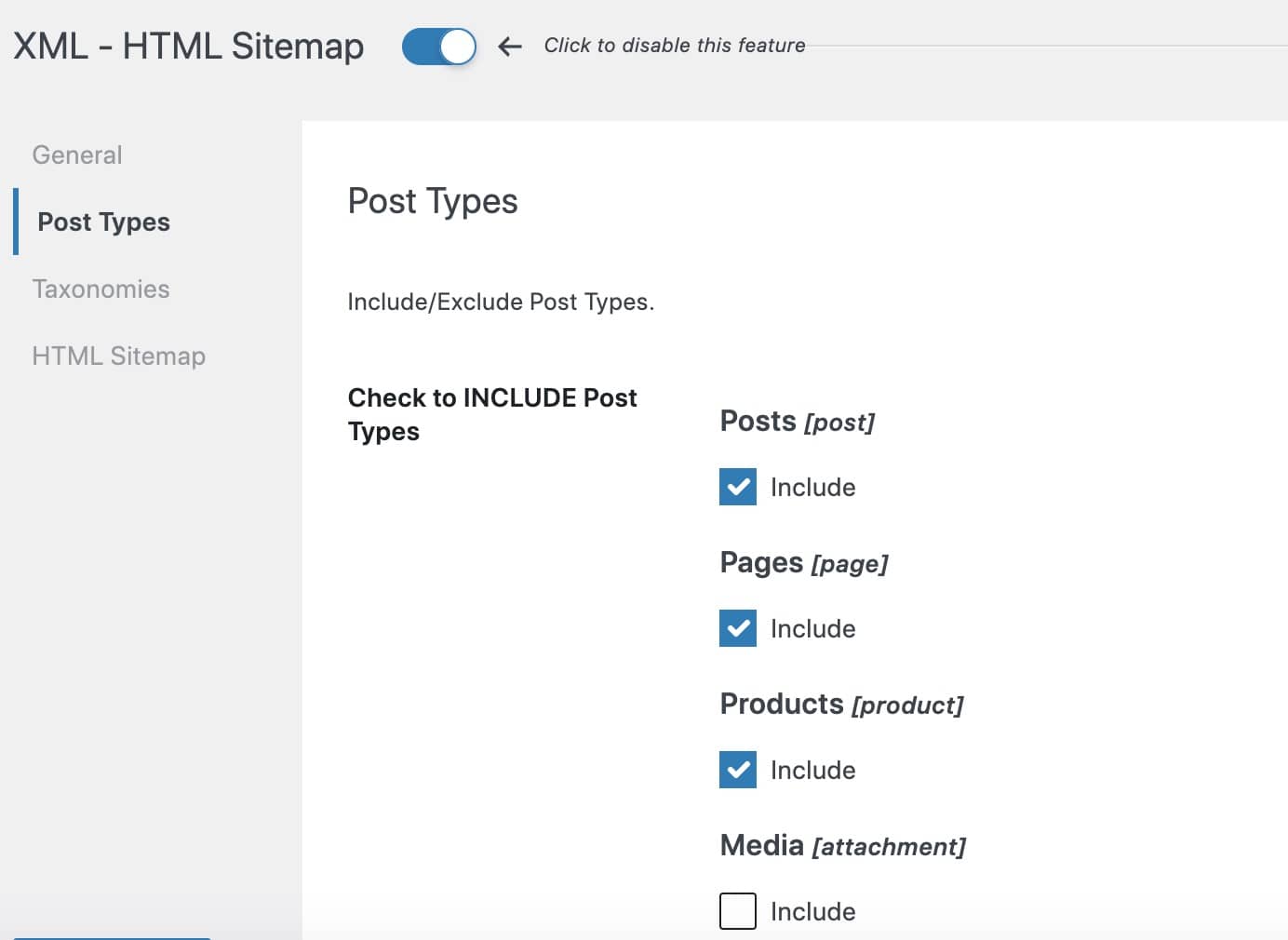
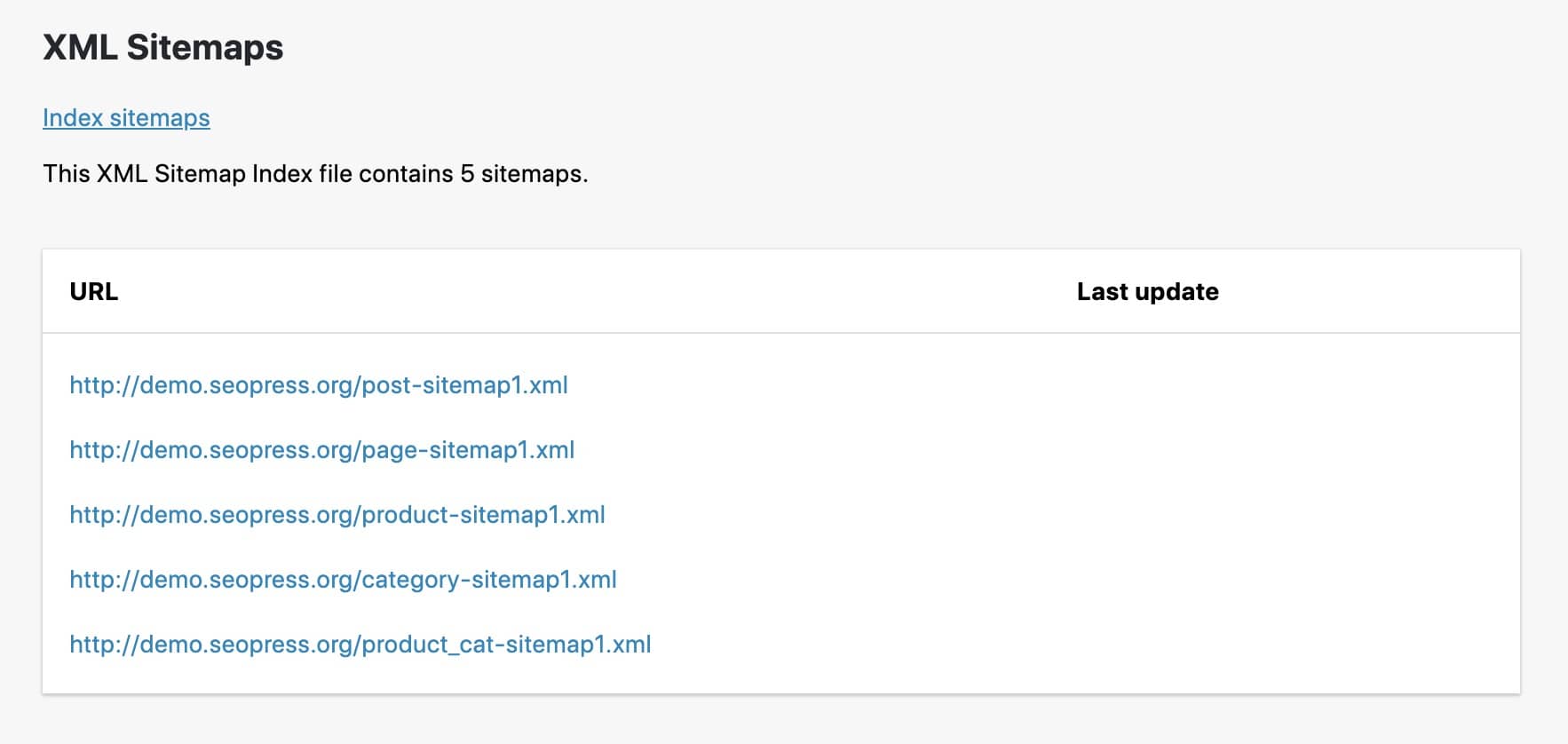
- Product Sitemap: Lists every live product URL, including its primary images and last modification date, ensuring immediate indexation of new listings.
- Product Image Sitemap: Crucial for WooCommerce, this ensures all high-resolution product images are indexed and eligible for Google Image Search, a key traffic driver.
- Product Category/Tag Sitemap: Helps establish clear navigational hierarchy for product groupings, reinforcing link authority and internal linking structure for your core money pages.
By segmenting your product data into these distinct XML sitemaps, you streamline the communication channel with search engine crawlers. This granular control over your indexation priority accelerates the discovery of new listings and critical updates, transforming a reactive indexation process into a seamless, revenue-driving automation loop.
The Direct Link Between Technical SEO and Email/SMS List Growth
The connection between a technical tool like a sitemap and your email/SMS list growth funnel is not immediately obvious, but it is fundamentally crucial for organic growth. A perfectly structured XML sitemap acts as a clear directive to search engine bots, ensuring that every page containing your high-value lead magnets, subscription offers, or dedicated opt-in landing pages is crawled and indexed efficiently. If Google cannot easily find and understand these conversion points, their potential to generate organic traffic—and thus new subscribers—is completely zeroed out.
To leverage your sitemap for maximum list growth, you must treat it as a strategic indexing tool, not just a default file. The key is to optimize for crawl budget allocation, directing the search engines’ limited attention toward your most valuable subscriber-generating assets. This means actively including and prioritizing specific types of content within your sitemap:
- Subscription Landing Pages: Ensure your dedicated email and SMS sign-up pages are explicitly included and given high priority, confirming their immediate indexation.
- Lead Magnet Posts: Any blog post or guide that features a content upgrade or downloadable asset in exchange for an email should be listed, making sure the initial organic entry point is discoverable.
- High-Converting Category Pages: These are often the first stop for high-intent users. Optimizing these pages’ visibility provides the maximum audience for your exit-intent or inline opt-in forms.
By ensuring these specific, high-conversion URLs are front-and-center in your sitemap, you actively drive targeted organic traffic, which translates directly into higher-quality email and SMS subscribers for your WooCommerce store.
Prioritizing High-Profit Pages: A Sitemaps Strategy for Revenue Acceleration
The standard, auto-generated XML sitemap often treats all URLs equally, which is a major oversight for a revenue-focused WooCommerce store. Prioritizing high-profit pages is an essential technical SEO tactic that directly influences sales acceleration. The logic is simple: by explicitly signaling the importance of your top conversion pages—such as best-selling product pages, category landing pages with high average order value (AOV), or critical funnel pages—you instruct search engine crawlers like Googlebot to visit them more frequently. This enhanced crawl budget allocation ensures that important updates, new pricing, or stock availability changes on these revenue-critical pages are indexed faster, directly boosting their visibility and sales potential.
To execute this revenue-acceleration strategy, you must move beyond the basic sitemap and leverage the controls within your SEO plugin. You need the ability to manipulate the specific metadata fields that communicate prioritization to search engines. Manually optimizing your sitemap for profit involves a few key steps:
- Priority Tag: An instruction (on a 0.0 to 1.0 scale) used to suggest the relative importance of a URL compared to other pages. For high-profit product and essential category pages, this should be set higher (e.g., 0.8-1.0) to indicate their critical role in your business.
- Change Frequency Tag: This tag suggests how frequently a page is likely to be updated (e.g., ‘daily,’ ‘weekly,’ ‘monthly’). Product pages with fluctuating stock or dynamic prices should be set to a higher frequency like ‘daily’ to encourage timely re-crawling.
- Exclusion: Strategically exclude low-value or utility pages, such as older “thank you” pages, thin content, or outdated documentation, to re-allocate your crawl budget entirely toward commercial-intent URLs.
An optimized, revenue-aware sitemap is less about simply listing every URL and more about creating a clear, prioritized hierarchy of value for the search engine. By focusing crawler attention on the pages that generate the most revenue, you ensure your most profitable inventory is always accurately and prominently represented in search results, converting technical compliance into measurable sales growth.
From Crawl to Conversion: Why a Flawless Sitemap is Your Growth Catalyst
A flawless XML sitemap is not merely a technical compliance checkbox; it is the fundamental infrastructure for maximizing your store’s visibility and conversion potential. For a dynamic WooCommerce environment, where product pages and stock statuses change frequently, the sitemap acts as your authoritative guide for search engine bots. When the sitemap is messy, indexation becomes slow and inaccurate, meaning your newest or highest-margin products take longer to appear in search results, directly impacting initial customer discovery and, consequently, revenue.
To truly weaponize your sitemap as a conversion catalyst, the strategy moves beyond simple generation to active curation. You must align your sitemap structure with your highest-value business metrics. This is a crucial step for ensuring that limited crawl budget is expended exclusively on pages designed to drive transactions or email sign-ups.
- Prioritize High-Conversion Pages: Explicitly prioritize your top-selling products, category pages, and high-value promotional landing pages in the sitemap. This encourages search engine bots to crawl these revenue drivers more frequently.
- Crawl Budget Conservation: Systematically exclude low-value or non-indexable URLs, such as “My Account” pages, thank-you screens, and filtered results. Directing the valuable crawl budget away from this ‘bloat’ and toward indexable pages accelerates time-to-market for new products.
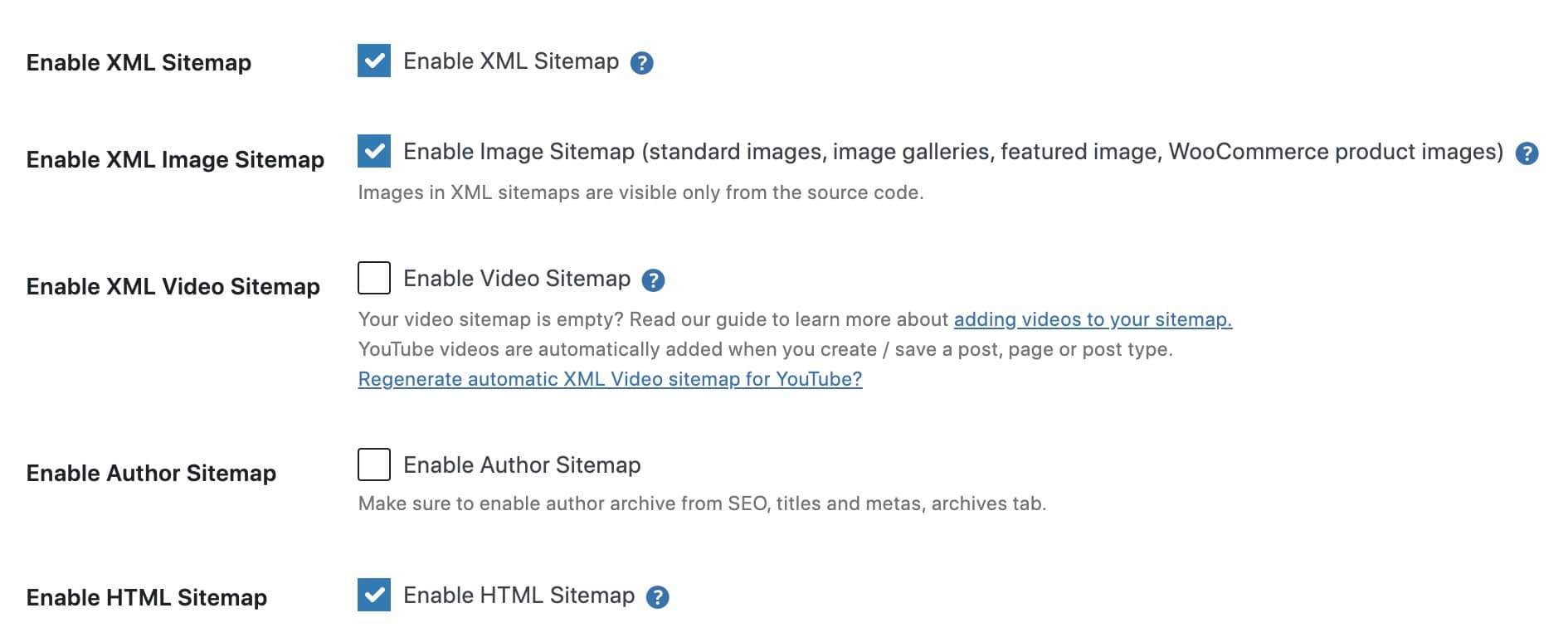
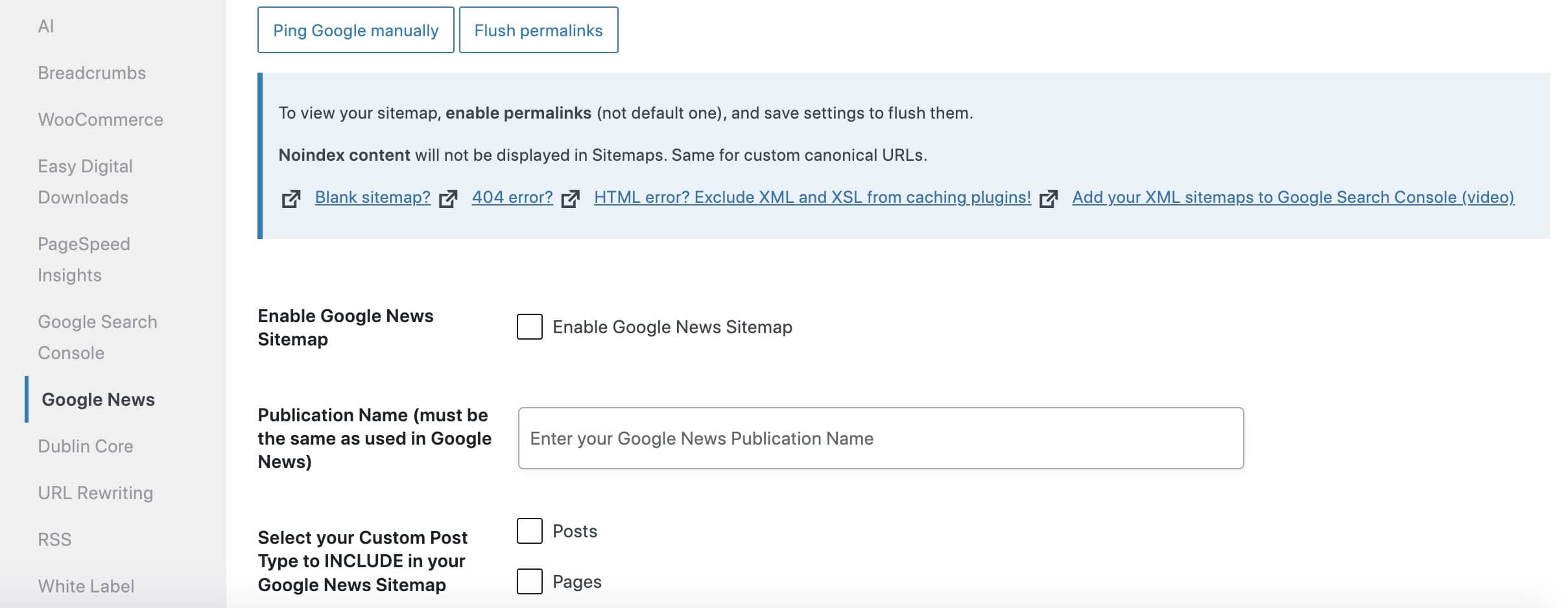
- Integrate Specialized Sitemaps: For modern commerce, a standard post/page sitemap is insufficient. Implement dedicated image, video, and news sitemaps where applicable to capture traffic from diverse SERP features, like Google Images, which is a key discovery channel for retail.
Ready to take your e-commerce to the next level?
A well-structured sitemap is the technical foundation of SEO, yet achieving perfect indexation and a traffic bump is a vanity metric if those pages aren’t built for high-value conversions. If your website’s crawlability is excellent but your Customer Lifetime Value (LTV) or Average Order Value (AOV) remains flat, you have a critical disconnect. The truth is, flawless crawlability only delivers profit when it directs high-intent search traffic to pages specifically designed to acquire and nurture your most profitable customers, integrating seamlessly with your broader revenue strategy.
Connecting these technical dots—from your XML sitemap to your post-purchase email flows and paid media segments—is where exponential growth is truly found. Our methodology is centered on building data-driven eCommerce systems where tracking, consent, CRM, paid media, and automation work together to maximize ROAS and long-term LTV. Stop checking boxes and start building a predictable revenue engine. Book a free, data-driven and conversion-focused audit today to see how your technical SEO can stop being a checklist item and start being a profit multiplier.