






Many eCommerce brands operate under the comforting illusion that email marketing alone is sufficient to drive sustainable growth, believing that as long as their inbox metrics are stable, no revenue is being left on the table. But what if this narrow focus on a single channel is actually acting as a silent ceiling on your revenue expansion? For high-growth businesses, the hidden cost of inaction in SMS automation lies in the failure to capture high-intent customers at the exact moment they are away from their computers, resulting in a significant drain on potential Customer Lifetime Value (LTV).
The hard reality is that in a mobile-first market, a lack of automated text messaging creates a critical friction point that legacy communication strategies simply cannot overcome. Transitioning to a sophisticated SMS automation framework is not just a tactical upgrade; it is a strategic necessity that ensures your brand maintains a persistent, high-conversion presence on the one device your customers check hundreds of times a day. This guide breaks down the essential methods for integrating automated texts across iOS, Android, and third-party platforms, providing the technical infrastructure needed to eliminate engagement gaps and fuel scalable, data-driven growth.
How to send automated texts on iPhone and Android?
Sending automated texts natively on iPhone and Android has historically required manual workarounds, but recent operating system updates have simplified the process for basic scheduling. For WooCommerce store owners managing small-scale operations or personalized follow-ups, these native tools offer a cost-effective way to maintain high engagement without immediately investing in a heavy-duty SMS gateway.
- iOS 18+ Send Later: Apple now allows users to schedule a message by long-pressing the send button in the Messages app and selecting Send Later, enabling a 14-day window for scheduled delivery.
- Android Google Messages: Similar to iOS, Android users can hold the send icon to access the Schedule Send feature, choosing a specific date and time for the message to trigger automatically.
- iOS Shortcuts App: For more complex automation, the Shortcuts app allows you to create workflows that send messages based on specific triggers, such as time of day or location changes, bridging the gap between manual and systematic texting.
While these native methods are excellent for one-off tasks or individual customer service, they lack the scalability and data integration required for high-volume eCommerce growth. As your WooCommerce store expands, transitioning from these device-specific methods to a programmatic third-party API is necessary to handle bulk campaigns and real-time transactional triggers like order confirmations or shipping updates.
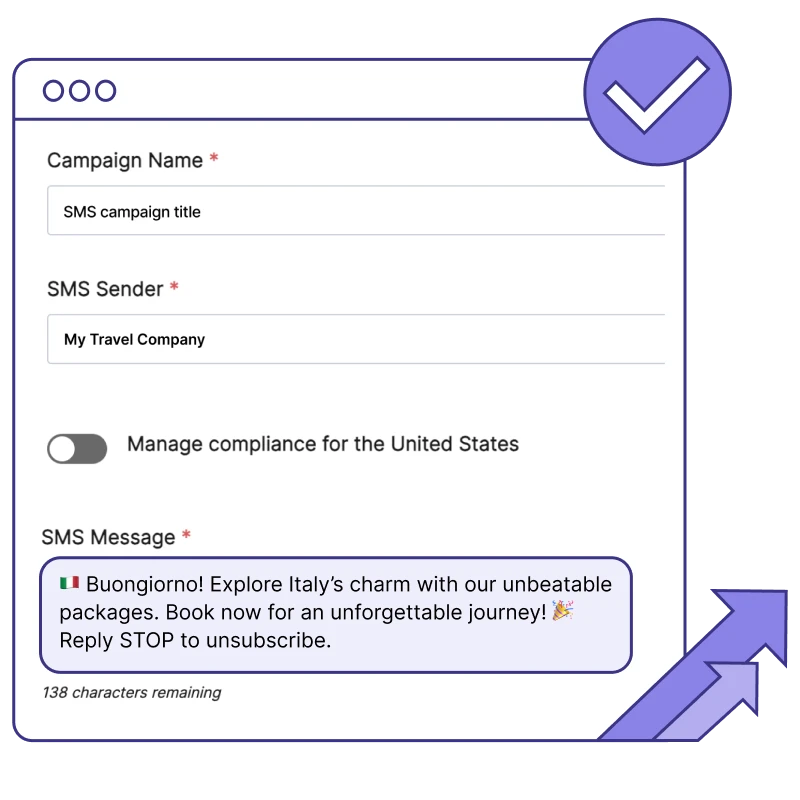
What is the best way to schedule text messages on iOS 18?
With the release of iOS 18, Apple introduced a native “Send Later” feature within the Messages app, finally providing a streamlined way to schedule one-time SMS or iMessages without relying on complex workarounds. For WooCommerce merchants, this native tool serves as a lightweight solution for managing high-touch customer relationships, such as sending manual order follow-ups or personalized VIP outreach, directly from a business iPhone.
- Native Send Later: Access this by tapping the ‘+’ icon in a message thread, selecting ‘More,’ and then ‘Send Later.’ It allows you to schedule messages up to 14 days in advance with millisecond precision.
- Shortcuts Automation: For more complex needs, the Shortcuts app remains the best way to create recurring automations or conditional logic, such as sending a text based on a specific calendar event or location trigger.
- Group Scheduling: iOS 18 supports scheduling for both individual contacts and group chats, making it easier to coordinate small-scale internal updates or localized customer cohorts.
While these native iOS 18 features are excellent for individual relationship management, they lack the database integration required for true eCommerce scale. If your WooCommerce store needs to trigger automated texts based on real-time backend events like abandoned carts or shipment tracking, transitioning from manual scheduling to a dedicated SMS API or third-party automation platform is necessary to maintain technical efficiency and deliverability.
How to automate SMS marketing for WooCommerce growth?
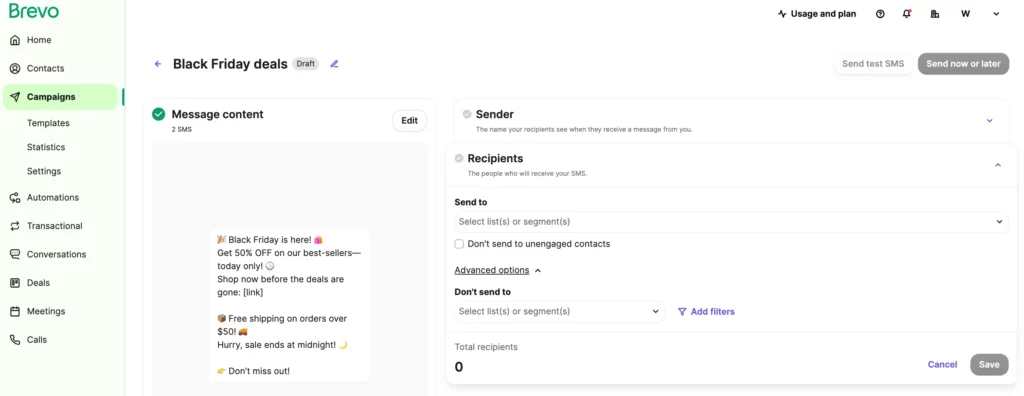
Automating SMS marketing within the WooCommerce ecosystem requires transitioning from manual, one-off messages to a technical infrastructure built on behavioral triggers. While native device scheduling is useful for internal reminders, true eCommerce growth is driven by integrating your WordPress database with a dedicated SMS gateway or all-in-one automation platform. This allows your store to fire high-priority messages based on real-time server events, bypassing crowded email inboxes with an average 98% open rate and ensuring your most critical calls-to-action are seen within minutes of peak customer intent.
- Trigger-Based Workflows: Configure event-driven sequences such as abandoned cart reminders (1 hour and 24 hours post-exit), order status updates, and post-purchase cross-sell offers based on specific product category tags.
- Dynamic Personalization: Utilize shortcodes and API webhooks to inject real-time data, like customer names, unique discount codes, and direct checkout links, into your messages to reduce friction and increase conversion velocity.
- Compliance and Frequency Control: Implement automated opt-in/opt-out management and frequency caps to ensure your brand maintains a high sender reputation and stays within global telecommunication regulations while scaling.
By shifting to an automated SMS strategy, WooCommerce brands can significantly reduce the latency between a customer’s action and the brand’s response. This direct line of communication is especially effective for time-sensitive promotions and revenue recovery, as it pushes notifications directly to the user’s lock screen. When these automated flows are synchronized with your email marketing efforts, you create a resilient, multi-channel growth engine that maximizes customer lifetime value through consistent, high-velocity engagement.
Why should I use third-party apps for automated texting?
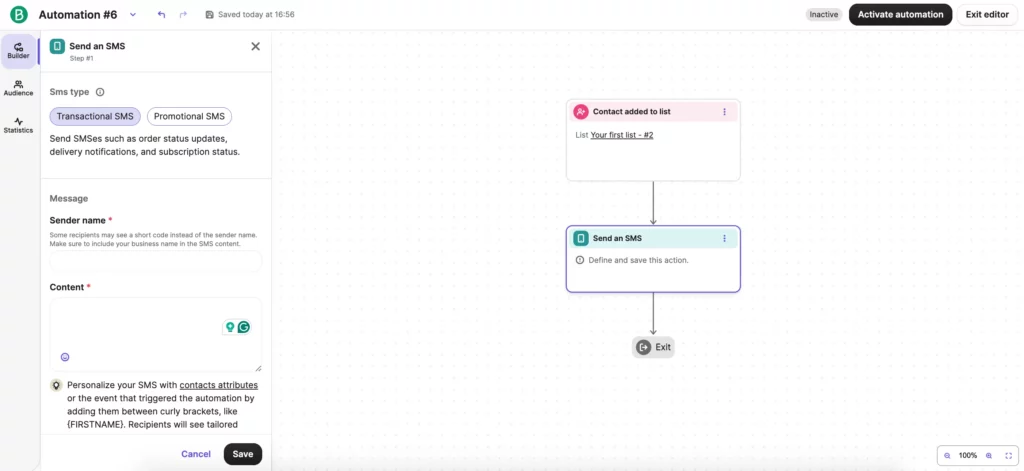
While native iOS and Android features are useful for one-to-one scheduling, they lack the technical infrastructure required for scalable eCommerce operations. For a high-growth WooCommerce store, relying on manual mobile scheduling creates a “silent ceiling” on your revenue by preventing the use of behavioral triggers. Third-party applications bridge this gap by offering robust API integrations that connect your store’s real-time data to your communication flows, ensuring messages are sent based on customer actions rather than manual intent.
- Advanced Segmentation and Personalization: Unlike native apps, third-party platforms allow you to segment audiences based on purchase history, LTV, or abandoned cart status, ensuring that every automated text is contextually relevant to the recipient.
- Automated Behavioral Triggers: These tools enable “set-and-forget” workflows where a text is automatically triggered by backend events, such as a successful payment, a shipping update, or a customer reaching a specific loyalty tier.
- Compliance and Deliverability Management: Professional apps handle the complexities of TCPA compliance, including automated opt-out processing and carrier-approved short codes, which protects your brand from legal risks and ensures higher inbox placement.
Transitioning to a professional third-party infrastructure is essential for moving beyond basic reminders to a sophisticated SMS strategy. By integrating your WooCommerce data with a dedicated automation tool, you unlock the ability to recover lost sales through abandoned cart sequences and drive repeat purchases with perfectly timed promotional broadcasts, ultimately maximizing your Customer Lifetime Value.
How to set up automated text replies for my business?
Setting up automated text replies is a critical move for WooCommerce brands looking to eliminate communication latency and maintain high customer engagement without increasing manual overhead. For small-scale operations, native mobile features like iOS Shortcuts or Android’s “Driving” focus mode can provide basic “away” messaging. However, for a high-growth business, true automation requires a programmatic approach that responds to specific customer behaviors or incoming inquiries in real-time, ensuring no lead or support ticket is left ignored during off-hours.
To build a resilient automated reply system, you should evaluate the following implementation methods based on your technical infrastructure:
- Native OS Automation: Use the iOS Shortcuts app to create “Automation” triggers that detect incoming messages from specific contacts or containing certain keywords and respond with a pre-defined text template.
- SMS Gateway Integration: Connect your business phone number to a professional SMS platform via API to trigger auto-responses for common FAQs, such as order status or store hours, using keyword-based logic.
- WooCommerce Behavioral Triggers: Leverage third-party automation tools to link your storefront directly to an SMS provider, allowing the system to send immediate, personalized replies to customer inquiries based on their recent purchase history or support tier.
Transitioning from manual responses to a structured automated reply framework is not just a convenience; it is a technical necessity for scaling customer trust. By ensuring that every incoming message receives an immediate acknowledgment, you reduce the risk of customer churn and create a professional communication loop that operates independently of your team’s availability.
Ready to take your e-commerce to the next level?
While mastering the manual scheduling of text messages on iOS or Android is a useful tactical skill, the business reality for high-growth WooCommerce brands is that fragmented, device-level automation often acts as a silent ceiling on your revenue expansion. If your SMS outreach feels like a series of disconnected experiments rather than a synchronized engine, or if you suspect that a lack of sophisticated behavioral triggers is causing you to leave massive amounts of money on the table, you are facing a structural barrier to scale. Relying on basic native features might save a few minutes today, but it lacks the technical depth required to drive significant improvements in Customer Lifetime Value and long-term profitability.
To move beyond basic scheduling and build a high-performance communication ecosystem, you need a partner that integrates your SMS strategy with a broader, data-driven architecture. We act as a strategic extension of your in-house team, helping DTC brands maximize Profit and Retention through systems where advanced tracking, CRM, and automation operate in perfect concert to maximize ROAS. Our methodology eliminates guesswork through rigorous, conversion-focused audits that identify the exact bottlenecks in your customer journey. If you are ready to transition from manual texts to a scalable, automated SMS infrastructure that captures revenue at the exact moment of peak intent, book a free marketing automation audit today.