


If your Meta Ads performance has quietly declined even though your budget hasn’t changed, weak Event Match Quality (EMQ) is one of the most common — and most fixable — culprits. Event Match Quality measures how reliably Meta can match the conversion events you send via the Conversions API to a real Facebook or Instagram user, and a low score directly undermines optimization, attribution, and audience-building. In this article, we’ll walk through what actually drives EMQ, which customer information parameters matter most, and how to structure your WooCommerce data pipeline to consistently improve match rates.
What Is Event Match Quality and Why Does It Matter?
Event Match Quality is Meta’s internal scoring system that reflects how confidently it can connect a server-side event — a purchase, an add-to-cart, a lead — to an actual person in its system. The score, visible in Events Manager, ranges from poor to great, and it’s not just a vanity diagnostic; it directly affects how well Meta’s algorithm can optimize campaigns and build lookalike or retargeting audiences.
A low EMQ score has real downstream consequences:
- Weaker campaign optimization, since Meta’s algorithm has less reliable signal about who is actually converting.
- Inflated CPA and reduced ROAS, because ad spend is being optimized against incomplete or unmatched data.
- Smaller, less accurate custom and lookalike audiences, since unmatched events can’t contribute to audience building.
EMQ became significantly more important after iOS 14.5 and the broader decline of browser-based pixel tracking, since server-side events via the Conversions API are now a primary — and sometimes the only reliable — data source for many advertisers. For WooCommerce stores in particular, EMQ is directly tied to how much first-party customer data is captured at checkout and passed cleanly through to Meta, which means it’s as much a data infrastructure problem as it is an ads platform setting. Treating EMQ as a one-time setup task rather than an ongoing data quality metric is one of the most common reasons advertisers see Conversions API performance plateau instead of improve.
How Do Customer Information Parameters Improve Matching?
Meta’s matching algorithm works by hashing and comparing customer information parameters against its own user data — the more accurate, complete parameters you send, the higher the probability of a confident match. The parameters with the strongest impact on match rate include:
- Email address (em) — typically the single highest-impact parameter, since it’s the most consistently used identifier across Meta’s ecosystem.
- Phone number (ph) — a strong secondary signal, especially valuable when formatted correctly with country code.
- First and last name (fn, ln) — improve match confidence when combined with other identifiers, though weak in isolation.
- External ID (external_id) — your own customer or order ID, useful for de-duplication and cross-referencing.
- Client IP address and user agent — passive signals that support matching without requiring customer input.
- Click ID (fbc) and browser ID (fbp) — captured from Meta’s own cookies or click parameters, providing a direct link back to the original ad interaction.
Every parameter must be normalized and hashed with SHA-256 before being sent — lowercase, trimmed of whitespace, and formatted per Meta’s specification (e.g., phone numbers in E.164 format). Sending as many of these parameters as you reliably have, rather than relying on just one or two, compounds match probability significantly, since Meta cross-references multiple identifiers rather than relying on a single field.
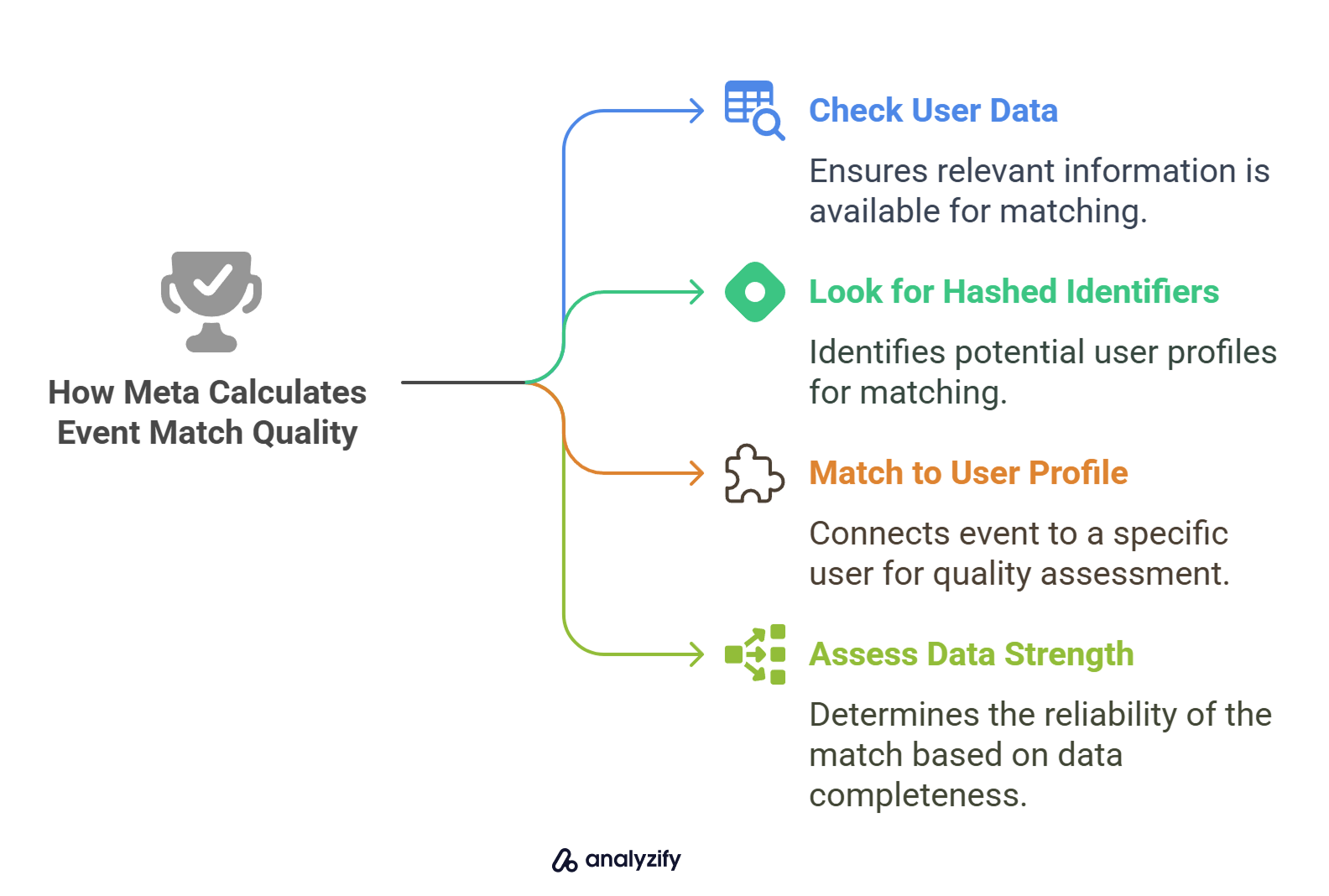
Why Is Your Conversions API Event Match Quality Score Still Low?
Even advertisers who’ve technically implemented the Conversions API often see a stagnant or declining EMQ score, and the reason is almost always incomplete or poorly formatted parameter data rather than a fundamental implementation failure. The most frequent causes include:
- Missing checkout fields: if WooCommerce checkout doesn’t require phone number, or if guest checkout skips optional fields, fewer parameters are available to send.
- Incorrect hashing or formatting: parameters that aren’t lowercased, trimmed, or E.164-formatted before hashing will fail to match even if the underlying data is correct.
- No fbc/fbp capture on server-side events: without correctly capturing Meta’s click and browser IDs client-side and passing them through to server events, you lose one of the strongest matching signals available.
- Event deduplication errors: when both the Pixel and Conversions API fire the same event without a shared event_id, Meta may either double-count or discard events, muddying match data.
- Consent and data collection gaps: privacy-compliant data collection practices that limit what customer data is captured also limit what can be sent for matching — a tradeoff that needs to be managed deliberately, not accidentally.
Diagnosing a low EMQ score requires checking Events Manager’s parameter-by-parameter breakdown rather than looking at the overall score alone, since it will show exactly which fields are underperforming and where the data pipeline is leaking information before it ever reaches Meta.
How Can You Optimize WooCommerce Checkout Data for Better Matching?
Since EMQ is fundamentally a data completeness problem, the checkout experience itself is one of the highest-leverage places to intervene — small changes to what data WooCommerce captures can meaningfully shift match rates. Practical steps that tend to move the needle:
- Require phone number at checkout (where appropriate for your audience), since it’s a high-value secondary matching parameter that’s often left optional.
- Standardize address and name field formatting at the point of entry, reducing normalization errors before data ever reaches the Conversions API.
- Capture fbc and fbp cookies reliably across the full session, including for customers who land on a product page before reaching checkout.
- Pass logged-in customer data (email, phone, name) automatically for returning customers, rather than relying solely on manually entered checkout fields.
- Implement consistent event IDs shared between Pixel and server-side events to prevent deduplication issues from corrupting match data.
Server-side tagging and a properly configured tracking layer between WooCommerce and Meta are what make this consistent rather than dependent on manual QA — a poorly maintained integration will silently degrade EMQ over time even if it was correctly configured at launch.
Can You Fully Automate Conversions API Setup for WooCommerce?
Full automation is achievable, but it requires more than installing a plugin and connecting a pixel ID — durable EMQ improvement depends on an integration that’s actively maintained as Meta’s requirements and your checkout flow evolve. A properly automated setup typically includes:
- Server-side event forwarding directly from WooCommerce order and customer data, rather than relying on browser-based pixel firing alone.
- Automatic parameter hashing and formatting, so every event sent meets Meta’s normalization requirements without manual intervention.
- Deduplication logic built into the integration, so Pixel and server events don’t conflict.
- Ongoing monitoring of Events Manager diagnostics, since EMQ can degrade silently after checkout changes, plugin updates, or shifts in customer behavior.
The businesses that sustain a “great” EMQ score over time treat the integration as infrastructure that needs monitoring, not a one-time technical setup — because Meta’s own matching requirements, WooCommerce’s checkout behavior, and your own data collection practices all shift independently, and any one of them can quietly erode match rates if left unchecked.
Ready to take your e-commerce to the next level?
If your ROAS has been sliding and your team keeps blaming “the algorithm,” the real issue is often sitting upstream in your tracking setup — specifically, in how much reliable customer data is actually reaching Meta in the first place. A low Event Match Quality score doesn’t just hurt attribution reporting; it quietly caps how well your campaigns can ever perform, no matter how much you optimize creative or targeting on top of it.
This is exactly the kind of technical gap we close for DTC and ecommerce brands. As an extension of your in-house team, we build data-driven systems where advanced tracking, consent management, and paid media work together — so your Conversions API setup is actually maximizing match rate, not silently leaking signal. If you want a clear picture of where your tracking is underperforming, book a free marketing automation audit and get a data-driven, conversion-focused read on what’s really happening under the hood.



Comments