


A surprising number of high-growth brands treat their site architecture as a set-it-and-forget-it technicality, assuming the default infrastructure provided by WordPress is sufficient for peak visibility. However, relying on basic, unoptimized indexing protocols often creates a structural barrier to search equity that no amount of premium content can overcome. For eCommerce founders aiming to scale, an unrefined sitemap is a silent leak in your organic acquisition engine, leading to delayed indexing of new product launches and fragmented crawling of high-margin category pages.
The strategic value of a precision-engineered XML sitemap lies in its ability to dictate exactly how search engine algorithms interpret the hierarchy and priority of your digital storefront. By moving beyond the limitations of standard sitemaps and implementing advanced controls, you ensure that bots navigate your site with maximum efficiency rather than wasting crawl budget on irrelevant URLs. This guide provides the technical clarity needed to transform your sitemap from a background file into a high-performance roadmap for search engine dominance and sustainable revenue growth.
What is a WordPress sitemap and how does it work?
A WordPress sitemap is a structured file—typically in XML format—that acts as a definitive roadmap for search engine crawlers like Google and Bing. Instead of forcing bots to find your content by following a complex web of internal links, a sitemap provides an explicit list of every important URL on your WooCommerce site that you want indexed. This is critical for ensuring that high-value pages, such as new product launches or deeply nested category pages, are discovered and indexed quickly rather than being overlooked by crawler algorithms.
- Discovery and Crawling: The sitemap tells search engines exactly which pages exist, providing a direct path for bots to follow regardless of your internal linking structure.
- Metadata Signaling: Beyond just a list of URLs, the sitemap includes vital metadata such as the date a page was last modified (<lastmod>) and its relative priority, which helps search engines allocate crawl budget more efficiently.
- Hierarchical Mapping: It provides a clear blueprint of your website’s organization, allowing algorithms to understand the relationship and importance between different sections of your store.
For high-growth WooCommerce brands, the sitemap functions as a communication tool that bridges the gap between your backend content and search engine visibility. While WordPress includes a basic sitemap by default, sophisticated eCommerce operations often require third-party plugins to manage larger volumes of data and prioritize mission-critical transactional pages over administrative or low-value content. By submitting this file through tools like Google Search Console, you shift from passive discovery to active content management, ensuring your most profitable pages are always in the crawl queue.
Why is an XML sitemap essential for WooCommerce SEO?
For high-growth WooCommerce stores, an XML sitemap is a non-negotiable technical asset that acts as a direct communication line between your server and search engine crawlers. While search engines can eventually find your content through standard links, a well-structured sitemap speeds up the discovery and indexing of your entire product catalog, which is critical when managing frequently changing inventory or launching new collections. Without this roadmap, Googlebot may waste its limited crawl budget on low-value pages or get lost in complex site architectures, leaving your high-margin products invisible in search results.
- Accelerated Indexation: A sitemap provides a prioritized checklist that ensures new product pages and mission-critical category pages are noticed and indexed significantly faster than through organic crawling alone.
- Crawl Efficiency: By providing a clean list of absolute URLs, you prevent crawlers from getting stuck in loops or wasting resources on 404 errors and old promotional banners, ensuring they focus on your “money-making” pages.
- Rich Metadata Communication: XML protocols allow you to communicate essential data like the “lastmod” tag, signaling exactly when a product was last updated to ensure search engines reflect the most current prices and stock levels.
Ultimately, a precise XML sitemap is the foundation for scalable eCommerce growth, providing the technical clarity search engines need to understand your store’s hierarchy and authority. By ensuring only canonical, indexable URLs are included, you maintain a clean index and protect your domain reputation, turning your sitemap from a simple file into a strategic data feed for modern, AI-driven search environments.
How to create a comprehensive XML sitemap in WordPress?
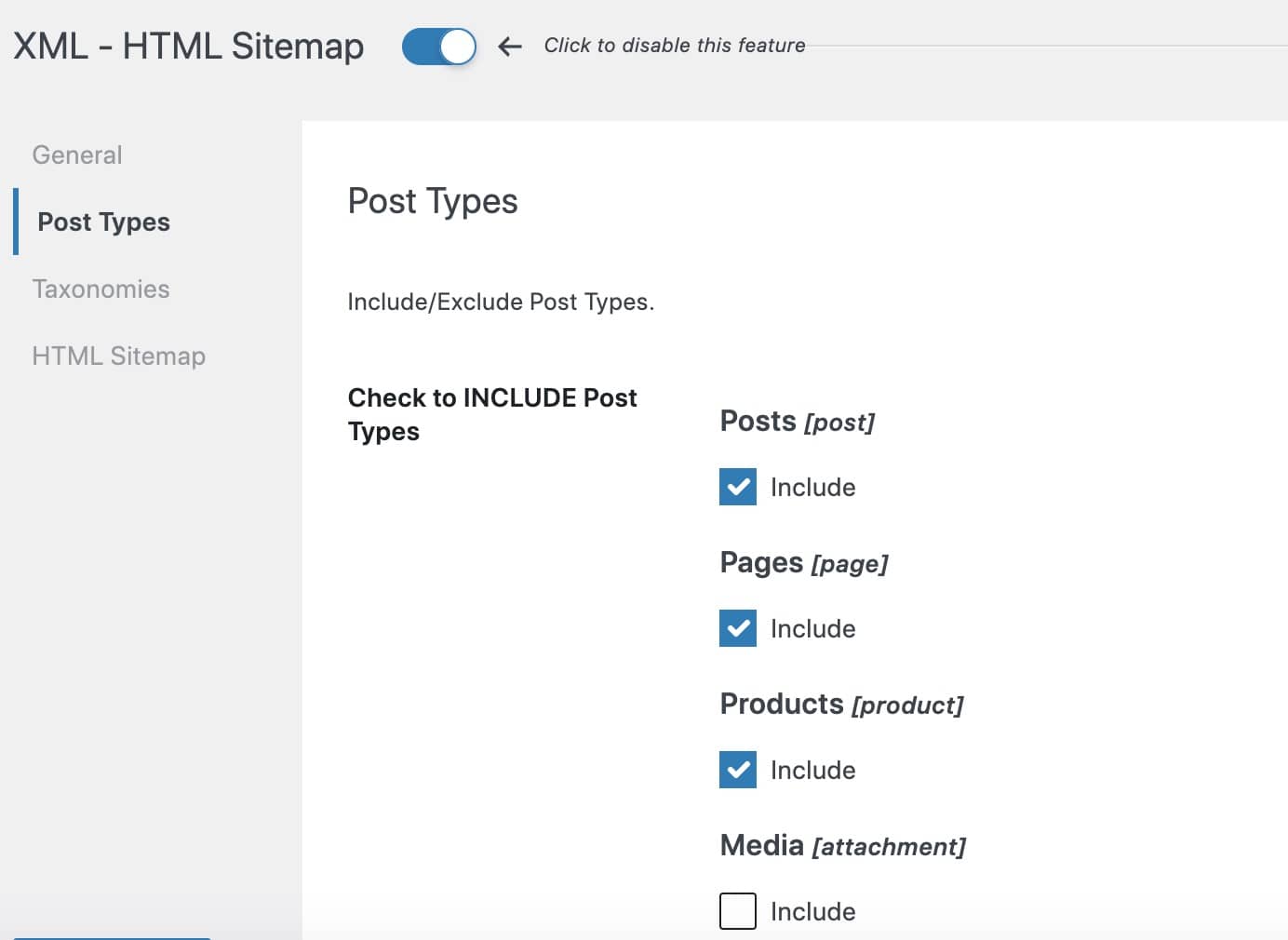
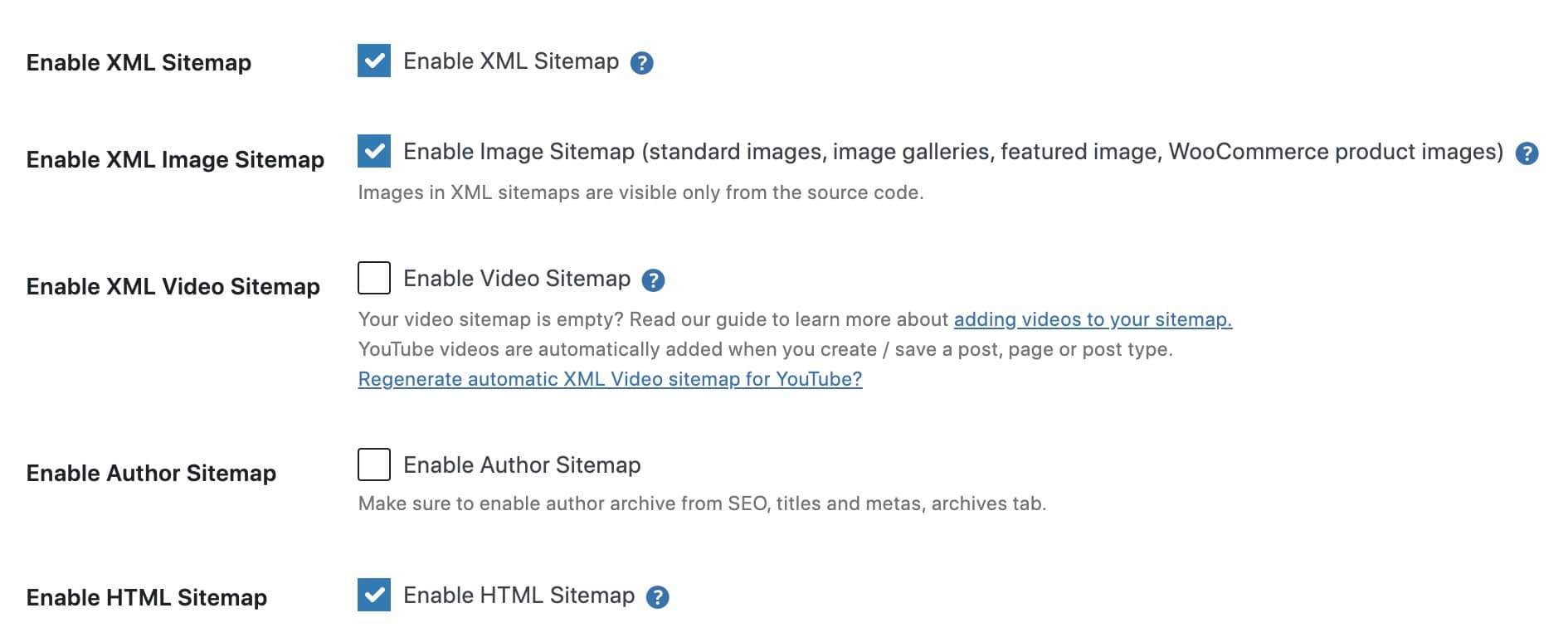
Creating a comprehensive XML sitemap in WordPress requires moving beyond the basic default functionality to a specialized SEO plugin like SEOPress PRO. This transition is essential for managing complex site structures, as a professional tool automatically generates and updates both XML and RSS sitemaps to reflect real-time content changes. By leveraging an advanced generator, you can implement a scalable infrastructure that organizes URLs into a sitemap index, ensuring that search engine bots can efficiently navigate even the largest product catalogs.
- Automated Indexing: Utilize a dedicated plugin to automatically generate structured XML files that adhere to global search engine protocols, ensuring Google and Bing are immediately notified of new or modified content.
- Sitemap Indexing: Implement a sitemap index file to stay within the limit of 50,000 URLs or 50MB per file, dynamically categorizing pages, posts, and products into manageable sub-sitemaps.
- Hygiene and Filtering: Configure exclusion rules to prune low-value URLs, such as 404 errors, redirects, and noindex utility paths, ensuring search engines only crawl your highest-quality canonical pages.
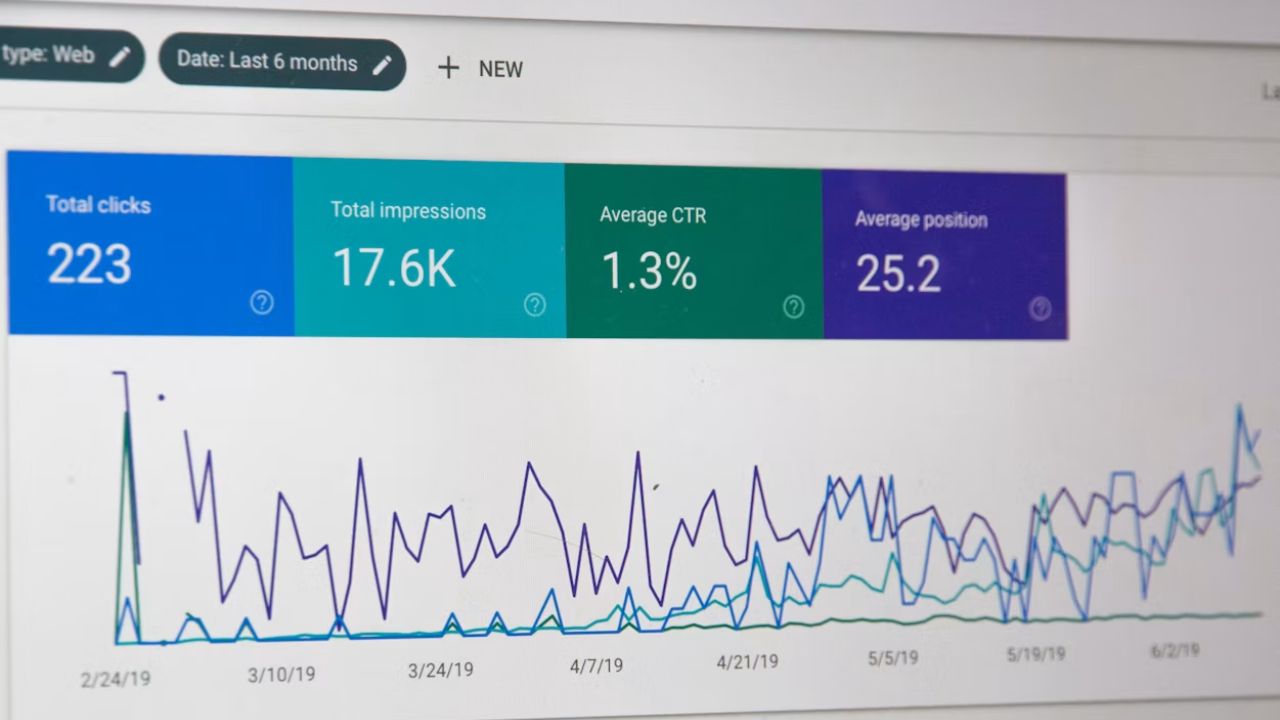
To maintain peak performance, it is critical to verify your sitemap through Google Search Console to monitor for any indexing errors or coverage issues. This technical oversight ensures that your sitemap remains a clean, authoritative roadmap for search crawlers, protecting your crawl budget and maximizing the visibility of your most profitable inventory.
How to submit your sitemap to Google Search Console?
Submitting your XML sitemap to Google Search Console is a non-negotiable step for any high-growth WooCommerce store. While search engines can eventually discover your content through standard crawling, manual submission provides a direct roadmap for bots, ensuring that mission-critical product listings and category pages are indexed with minimal latency. For eCommerce brands, this proactive approach is essential for maintaining visibility in competitive SERPs and ensuring that new product launches or inventory updates are reflected in search results as quickly as possible.
- Verify Ownership: Before submission, you must ensure your WooCommerce site is correctly added and verified as a property within your Google Search Console account.
- Locate the Sitemap URL: Identify your sitemap URL, which for WordPress sites using professional plugins like SEOPress is typically yourstore.com/sitemaps.xml.
- Submit via the Index Menu: Navigate to the “Sitemaps” section under the “Index” tab in the left-hand menu, enter the sitemap URL suffix into the “Add a new sitemap” field, and click submit.
Once submitted, Google will periodically check this file for updates, allowing you to monitor indexing status and identify potential crawl errors through the platform’s reporting tools. For a truly scalable strategy, always submit your main index sitemap; this single file acts as a table of contents that guides Googlebot through all sub-sitemaps—including products, posts, and images—creating the most efficient path for a full-site crawl.
When should I use a third-party plugin for my WordPress sitemap?
While the native WordPress sitemap functionality provides a basic framework for indexing, it often lacks the granular control necessary for complex eCommerce environments. For a growing WooCommerce store, the default setup can lead to “crawl bloat” by including utility pages, duplicate content, or low-value archives that dilute your domain authority. Transitioning to a specialized third-party SEO plugin is essential when your technical requirements exceed basic URL listing and require strategic path management.
High-growth brands should consider a third-party solution like SEOPress PRO when they need to address these specific technical bottlenecks:
- Advanced Exclusion Logic: Efficiently removing thin content, such as member login panels, private sandbox routes, or 404 error pages, to maintain a pristine index in Google Search Console.
- Sitemap Indexing for Scale: Managing massive product catalogs by splitting URLs into multiple index files to ensure search engine bots can process large volumes of data without server timeouts.
- Conflict Management: Resolving technical errors where multiple sitemap sources or physical files interfere with search engine discovery, ensuring a single, authoritative XML source.
Ultimately, the move to a third-party plugin shifts your sitemap from a passive list of links to a proactive SEO asset. This level of technical hygiene ensures that Googlebot prioritizes your high-margin product and category pages rather than wandering through irrelevant system files, directly impacting your visibility in competitive SERPs.
Ready to take your e-commerce to the next level?
While mastering the technical nuances of WordPress sitemaps is a fundamental step toward SEO success, the business reality for high-growth WooCommerce brands is that indexation without a conversion strategy is merely a vanity exercise. If your organic traffic is increasing but your bottom-line profit remains stagnant, or if you suspect that poor crawlability is causing search engines to ignore your highest-margin products, you are facing a structural barrier to scale. A sitemap is not just a list of URLs; it is a roadmap for profitability that must be synchronized with your broader data infrastructure to ensure every indexed page serves a measurable business objective.
To move beyond basic technical setups and build a high-performance eCommerce engine, you need a partner that integrates SEO, tracking, and automation into a single, cohesive growth system. We act as a strategic extension of your in-house team, helping DTC brands maximize Profit, Retention, and LTV through rigorous, data-driven methodologies that eliminate guesswork. Our process begins with conversion-focused audits designed to identify the exact technical and strategic bottlenecks eroding your ROAS. If you are ready to transform your WordPress site into a scalable revenue generator where every technical element is optimized for long-term growth, book a free consultation today.


Comments