


Digital visibility is the lifeblood of modern commerce, yet many brands treat their search rankings as a static asset rather than a fragile ecosystem. The sudden disappearance of a high-performing storefront from Google search results is more than a technical glitch; it is an immediate cessation of customer acquisition that can stall revenue expansion overnight. While creative campaigns and retention strategies are vital for long-term growth, they cannot compensate for a foundational failure in search infrastructure that renders your brand invisible at the moment of peak customer intent.
For most high-growth eCommerce businesses, a ranking collapse is rarely the result of a mysterious algorithm update and more often stems from avoidable operational friction within the site’s backend. When your organic traffic baseline vanishes, the cost of inaction compounds with every hour of lost discoverability and rising customer acquisition costs. Navigating this crisis requires moving beyond reactive panic to a methodical audit of your technical foundations, ensuring that your digital presence is resilient enough to withstand the complexities of an evolving search landscape.
Why did my website disappear from Google search results?
A website’s sudden disappearance from Google search results is a critical SEO emergency that often stems from technical barriers rather than a loss of content value. For WooCommerce store owners, this total loss of visibility usually points to a breakdown in the site’s ability to be crawled, indexed, or served to users. Before assuming a manual penalty has been applied, it is essential to methodically rule out common technical failures that can effectively “unplug” your site from the search index overnight.
- Server Connectivity and Crashes: If your server returns a 500 Internal Server Error or a “White Screen of Death,” Googlebot cannot access your content, leading to a rapid drop from the index to protect user experience.
- Domain Expiration: Forgetting to renew your domain name will cause your DNS to fail, resulting in your site being replaced by a registrar parking page and eventually being removed from search results.
- Robots.txt and Meta Tag Errors: Simple misconfigurations, such as a “Disallow: /” directive in your robots.txt file or an accidental site-wide “noindex” tag, explicitly instruct Google to stop crawling and displaying your website.
- Manual Actions or Security Issues: Google may delist a site if it detects malware, phishing attempts, or severe violations of webmaster guidelines, which can be verified via the Security & Manual Actions report in Google Search Console.
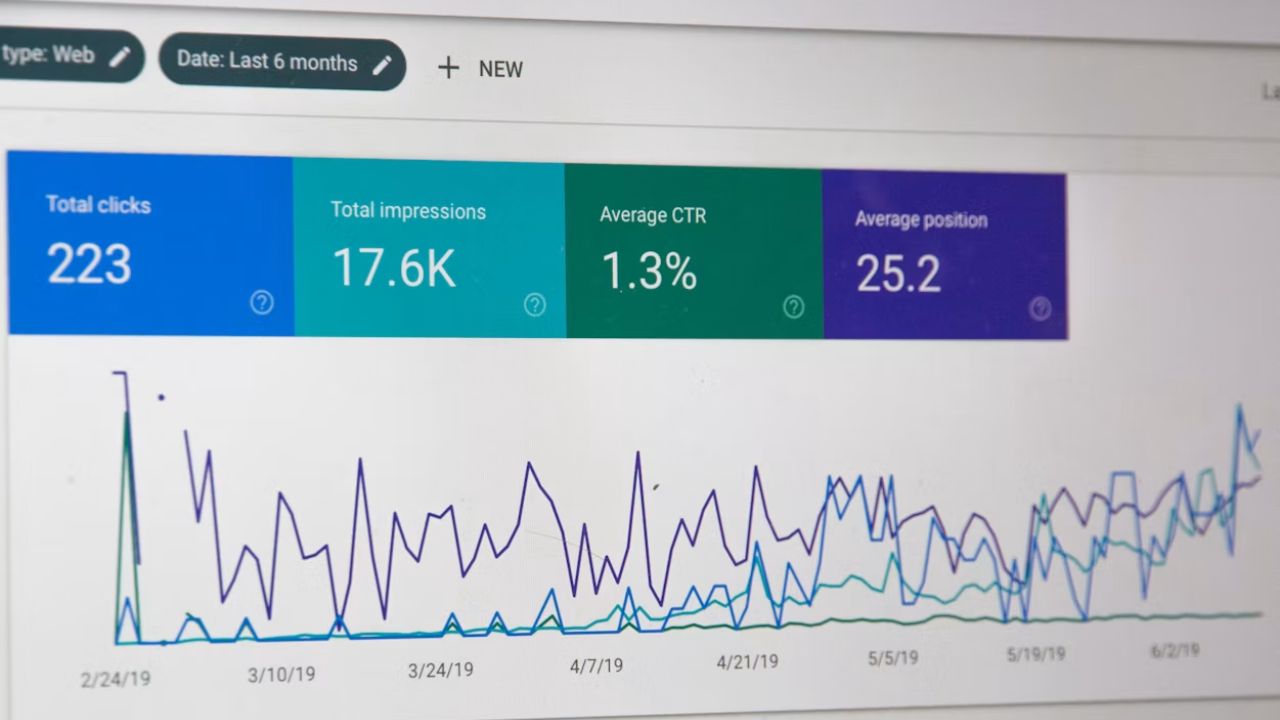
In the high-stakes environment of eCommerce, maintaining consistent visibility is a technical prerequisite for revenue growth. Most “disappearances” are caused by simple, fixable errors by site administrators or hosting issues. By utilizing tools like Google Search Console to inspect URLs and check for manual penalties, you can identify if the issue is a fundamental serving failure or a deeper algorithmic shift, allowing you to implement the necessary “nudge” to restore your site’s positioning.
How to fix a 500 Internal Server Error in WooCommerce?
A 500 Internal Server Error is a generic server-side status code indicating that the web server encountered an unexpected condition that prevented it from fulfilling a request. In the context of a WooCommerce store, this often signals a catastrophic failure in the server-side code, misconfiguration, or resource exhaustion that can halt transactions and impact search visibility. To resolve this and restore your site’s presence in search results, you must systematically isolate the root cause within your WordPress environment.
- Check Error Logs: Review your server and application logs immediately to identify specific error codes or patterns that correlate with the downtime.
- Isolate Plugin Conflicts: Use FTP to rename your plugins folder, which forces WordPress to deactivate all plugins and helps determine if a specific extension like WooCommerce is causing the crash.
- Verify .htaccess and Permissions: Ensure your .htaccess file is not corrupted and that file permissions for PHP scripts are correctly set to 0755 to prevent server-side blocks.
- Increase PHP Memory Limits: Check if your site has exceeded its allocated memory, a common cause for 500 errors during resource-intensive eCommerce operations.
If these steps do not restore access, a server restart may be necessary to clear temporary glitches or hardware-related locks. Consistent site visibility is critical for maintaining eCommerce revenue, so once the error is cleared, implementing better monitoring and logging is essential to prevent intermittent failures from becoming permanent SEO emergencies.
What should I do if my domain registration has expired?
Discovering that your domain registration has expired is a mission-critical emergency for any WooCommerce store, as it immediately severs the connection between your brand and your customers. When a domain expires, your DNS records stop resolving, causing your website, email services, and API integrations to go offline instantly. This not only halts revenue generation but also signals to Google that your site is no longer active, potentially leading to a rapid de-indexing of your high-value keywords if not addressed within hours.
- Grace Period Recovery: Most registrars offer a standard grace period, typically 30 days, where you can renew the domain at the normal rate to restore service immediately.
- Redemption Phase: If the grace period passes, the domain enters a redemption phase where recovery is still possible but often requires a significant additional fee to pull the domain back from the deletion queue.
- DNS Propagation: After successful renewal, you must allow up to 24 hours for DNS changes to propagate globally before your storefront is fully accessible to all users.
To prevent this catastrophic failure from recurring, ensure that “Auto-Renew” is enabled within your registrar’s dashboard and that your primary payment method is current. For high-growth eCommerce brands, I recommend registering your core domain for multiple years in advance to provide a buffer against administrative oversights. Acting quickly is the only way to protect your brand equity and prevent competitors from potentially poaching your domain once it returns to the open market.

How to use SEO automation to recover lost keyword rankings?
For high-growth WooCommerce stores, recovering from a sudden ranking drop requires transitioning from reactive manual checks to proactive SEO automation. When your site disappears from Google, speed is critical to minimize revenue loss. Automation allows you to bypass the “panic phase” by providing immediate, data-driven insights into whether the drop is due to a technical failure, a Google algorithm update, or a negative SEO attack. By leveraging AI and automated monitoring, you can detect anomalies and identify specific pages or keywords that lost visibility in real-time, enabling a faster return to your deserved search positions.
- Automated Diagnostic Audits: Use AI agents to continuously monitor your WooCommerce site for technical regressions, such as broken links, indexing blockers like accidental ‘noindex’ tags, or sitemap errors that prevent Google from crawling your product pages.
- Rank Tracking and Trend Analysis: Implement automated tracking to correlate ranking fluctuations with known Google core updates. This helps determine if your site needs a technical fix or a holistic content refresh to align with evolving search intent.
- Indexing Automation: Utilize indexing tools to immediately notify search engines of verified fixes or new content, ensuring that your recovered pages are re-evaluated and restored to the SERPs without waiting for a standard crawl cycle.
Integrating these automated workflows transforms your SEO strategy from a reactive burden into a scalable growth lever. Instead of manually searching for the root cause of a traffic dip, automated systems provide a structured recovery plan by identifying high-value keywords and pages that require immediate optimization. This proactive stance not only helps you regain lost ground faster but also builds a more resilient technical foundation that anticipates and mitigates future SEO crises before they impact your bottom line.
Why is consistent site visibility critical for eCommerce revenue growth?
In the competitive landscape of 2026, consistent site visibility is the lifeblood of eCommerce revenue. For WooCommerce stores, search engine presence acts as a 24/7 sales force that captures high-intent traffic without the escalating costs of paid advertising. When a site disappears from search results due to technical errors like expired domains or server crashes, it doesn’t just lose traffic; it suffers an immediate catastrophic decline in organic sessions that directly fuels revenue.
Maintaining a stable digital footprint is critical for the following reasons:
- Compounding Value: Unlike paid ads that stop the moment spend ceases, organic visibility builds momentum over time, turning optimized pages into long-term traffic sources.
- Trust and Authority: Consistent rankings reinforce brand recognition and trust; a sudden disappearance can signal instability to both Google’s algorithms and potential customers.
- Customer Acquisition Cost (CAC): Reliable organic reach reduces reliance on expensive “pay-to-play” social media models, lowering overall acquisition costs and improving the performance of other marketing channels.
For high-growth brands, visibility is not just about indexing but about maintaining top-tier positions. Even if a site is online, a slip in rankings—often caused by preventable technical oversights—can push product pages out of sight, handing market share to competitors who remain visible during critical buying cycles. Proactive maintenance and monitoring are therefore essential risk management strategies to protect your store’s primary revenue engine.

Ready to take your e-commerce to the next level?
While a sudden loss of search visibility feels like a technical emergency, the deeper business reality is that ranking drops are often symptomatic of structural vulnerabilities in your digital ecosystem. For high-growth WooCommerce brands, a site disappearing from Google is not just an SEO crisis; it is a direct threat to your acquisition engine and long-term profitability. Relying on organic search as a siloed vanity metric is a dangerous strategy—true resilience comes from building a data-driven infrastructure where tracking, paid media, and CRM work in concert to protect your market share even when algorithms shift.
To move beyond reactive troubleshooting and build a high-performance storefront that dominates the search landscape, you need a partner that functions as a strategic extension of your in-house team. We help DTC brands maximize Profit, Retention, and LTV by replacing guesswork with precision-engineered systems. Our process begins with rigorous, conversion-focused audits designed to identify the technical bottlenecks stalling your growth and eliminate the friction in your customer journey. If you are ready to secure your search presence and build a scalable automation system that maximizes ROAS, book your consultation today.

Comments