


Google’s Core Web Vitals have fundamentally shifted the landscape of digital retail by turning technical performance into a direct proxy for brand health. While many operators view page speed as a checkbox for the development team, the data reveals a more pressing commercial reality: visual stability and interactivity are now the gatekeepers of your customer’s patience. In an era where a one-second friction point can dismantle a high-intent shopping session, these metrics represent the literal bridge between your marketing spend and your actual revenue.
Ignoring these benchmarks creates a compounding disadvantage that transcends search rankings and bleeds directly into your conversion efficiency. As Google continues to refine how it quantifies user experience—exemplified by the recent transition to Interaction to Next Paint—staying ahead of these requirements is a prerequisite for any brand serious about scaling. This guide provides the strategic framework necessary to audit your current performance against field data and implement the optimizations that protect your acquisition investment and improve long-term retention.
What are Core Web Vitals and why do they matter for WooCommerce?
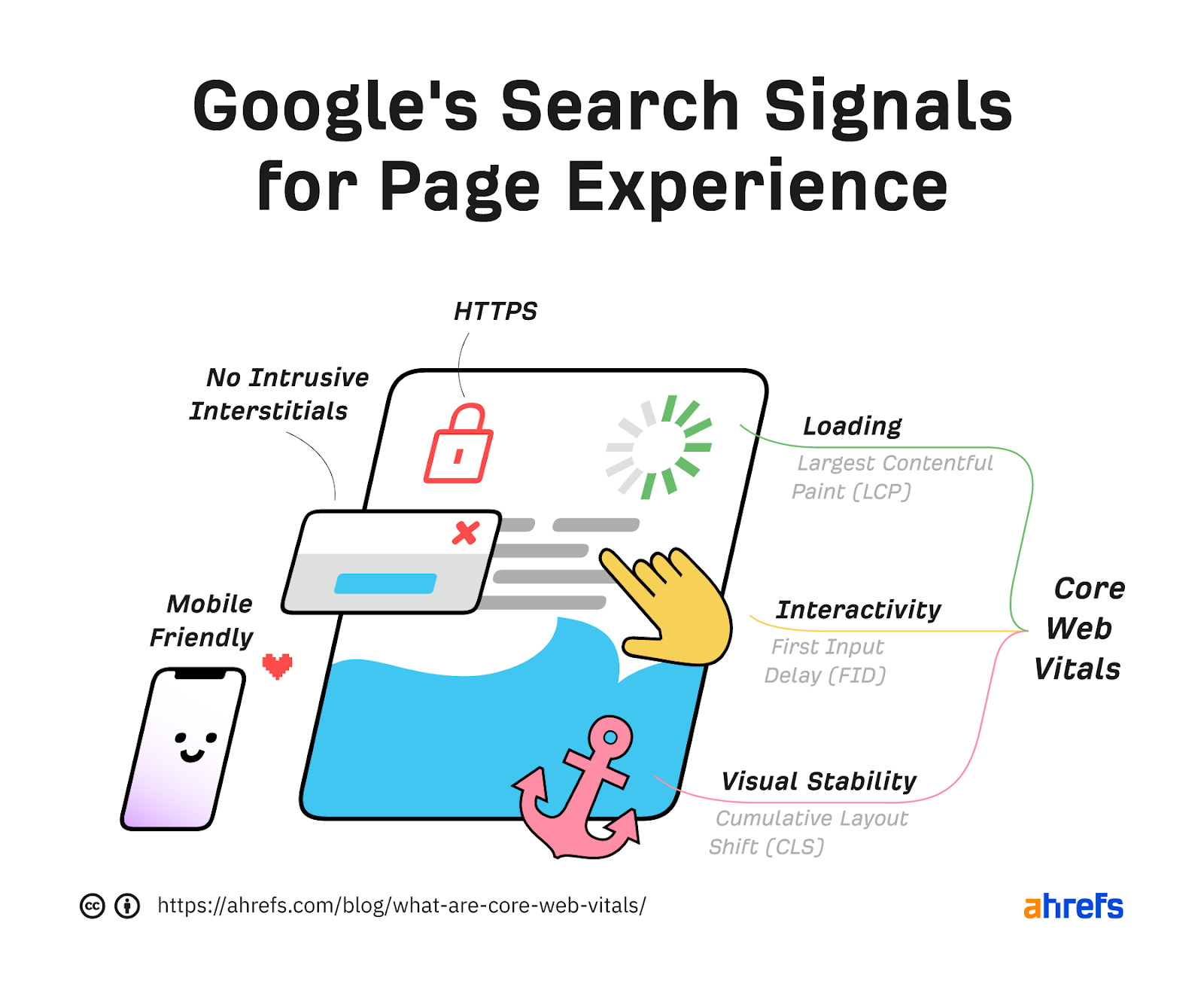
Core Web Vitals are a standardized set of performance metrics introduced by Google to quantify the real-world user experience of a webpage by measuring loading speed, interactivity, and visual stability. For WooCommerce store owners, these metrics are critical because they utilize field data from the Chrome User Experience Report (CrUX) to reflect how actual customers navigate your shop on both mobile and desktop devices. Since May 2021, these signals have been a confirmed factor in Google’s ranking algorithm, meaning your store’s technical health directly influences its organic visibility and ability to capture high-intent traffic.
- Largest Contentful Paint (LCP): This measures perceived load speed by tracking how long it takes for the largest content element, such as a product hero image or main banner, to become visible to the user.
- Interaction to Next Paint (INP): Replacing FID as of March 2024, this metric assesses responsiveness by measuring the latency of all click, tap, and keyboard interactions throughout a user’s entire visit.
- Cumulative Layout Shift (CLS): This quantifies visual stability by measuring unexpected layout shifts, ensuring that elements like “Add to Cart” buttons don’t jump around as images and ads load.
In the competitive WooCommerce ecosystem, optimizing these vitals is not just a technical requirement but a strategic necessity for revenue expansion. High-quality content remains paramount, but when competing for the same keywords, Google rewards the site that delivers a superior, friction-free experience. By meeting the specific thresholds for LCP, INP, and CLS, you ensure that your store remains reliable and fast, which directly prevents customer bounce and protects your conversion funnel from technical bottlenecks.
How do Core Web Vitals impact eCommerce conversion rates and revenue?
For high-growth WooCommerce stores, Core Web Vitals are not just technical benchmarks; they are direct indicators of your store’s ability to retain visitors and facilitate seamless transactions. When a product page fails these thresholds, it often results in a measurable “performance tax” characterized by increased bounce rates and abandoned sessions. Because Google utilizes field data from real user experiences (CrUX) for ranking, a poor assessment reflects actual visitor frustration that translates directly into lost revenue.
- LCP and Cart Abandonment: A slow Largest Contentful Paint means customers wait longer for product images to load, which can bleed customers before they even interact with your offer.
- INP and Checkout Friction: Interaction to Next Paint measures responsiveness; high latency during “Add to Cart” or “Proceed to Checkout” actions causes user hesitation and erodes the trust necessary for high-value conversions.
- CLS and Accidental Clicks: Cumulative Layout Shift identifies visual instability; for eCommerce, this often manifests as jumping buttons that lead to misclicks or checkout errors, directly frustrating the buyer’s intent.
Failing these metrics signals that your site performance is below standards, placing your organic visibility at risk while simultaneously hurting your conversion floor. In a competitive market, passing Core Web Vitals provides a structural advantage, ensuring that your marketing spend and SEO efforts translate into a reliable, high-performing revenue engine rather than a leaky funnel.
What are the best strategies to improve LCP and INP for online stores?
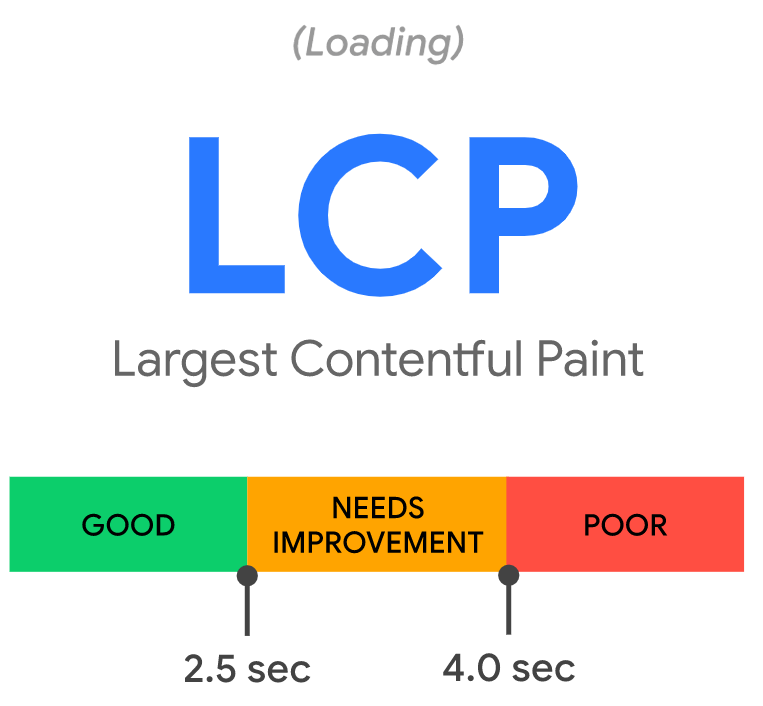
Optimizing Largest Contentful Paint (LCP) and Interaction to Next Paint (INP) is essential for WooCommerce stores where slow loading hero images or laggy “Add to Cart” buttons directly result in abandoned sessions. For LCP, the goal is to ensure the largest visible element—often a high-resolution product image—renders in under 2.5 seconds. INP, which replaced FID in 2024, requires the main thread to be clear enough to respond to user interactions in 200 milliseconds or less.
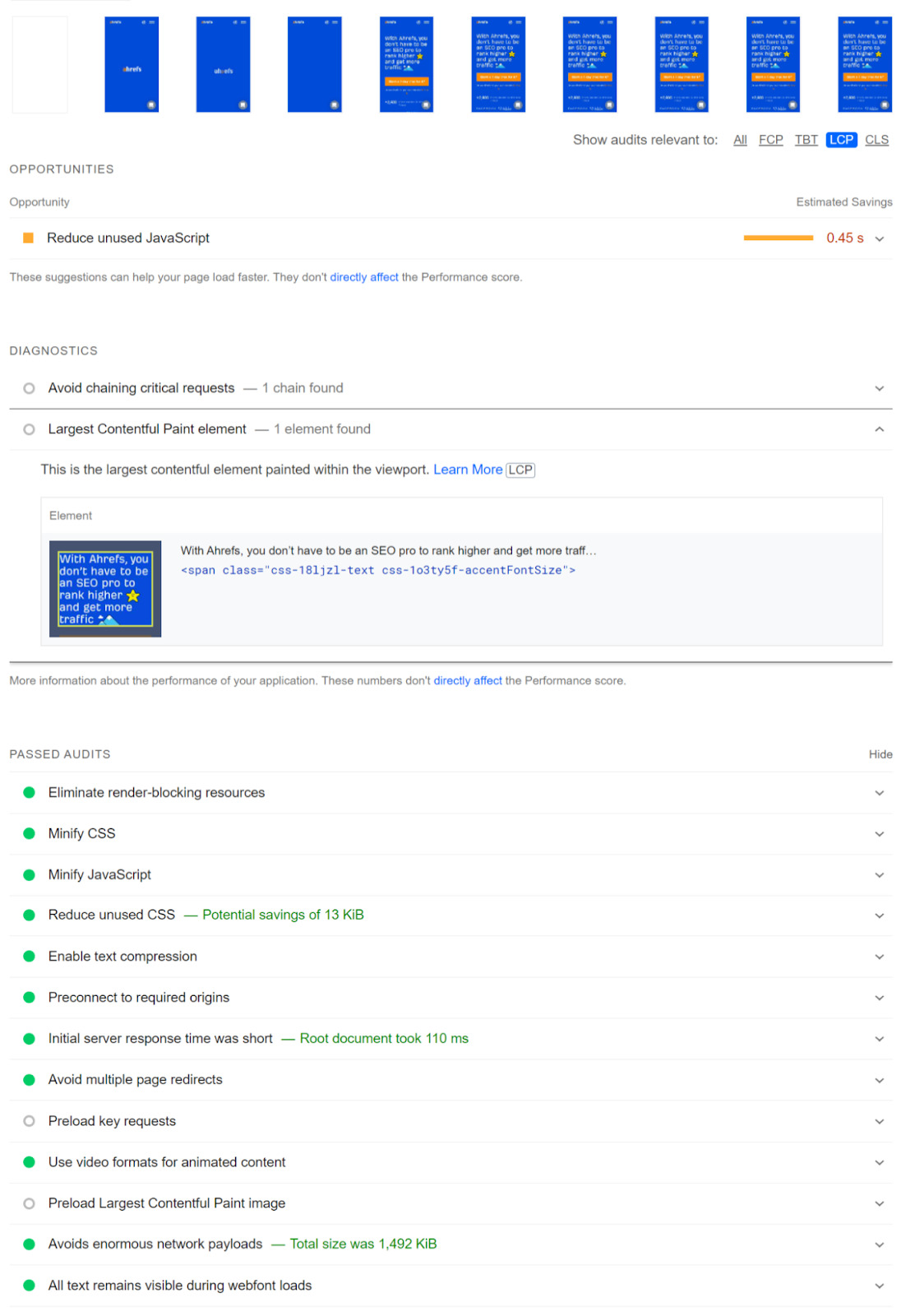
- LCP Resource Prioritization: Ensure hero images are discoverable in the initial HTML rather than loaded via CSS or JavaScript. Use modern formats like WebP or AVIF and apply fetchpriority=”high” to eliminate resource load delay.
- Minimizing Render-Blocking Content: Inline critical CSS and defer non-essential JavaScript to ensure the browser can paint the LCP element immediately after its resource finishes downloading.
- Main Thread Optimization for INP: Break up long-running JavaScript tasks into smaller chunks to prevent the browser from becoming “too busy to paint” or respond to clicks.
- Server and Hosting Efficiency: Implement robust caching and utilize a Content Delivery Network (CDN) to reduce Time to First Byte (TTFB), which sets the floor for all subsequent loading metrics.
By prioritizing these technical adjustments, store owners can move beyond basic metrics to create a high-performance environment that meets Google’s 2025 benchmarks. Addressing the structural bottlenecks of deep-nested DOM structures and resource load contention ensures that your most valuable content reaches the customer at the exact moment of peak intent.
Why is visual stability through CLS critical for user experience and SEO?
Cumulative Layout Shift (CLS) is a critical metric for high-growth WooCommerce stores because it quantifies the visual stability of a page as it loads. For eCommerce, unexpected shifts are more than just a nuisance; they are a conversion killer. When a customer attempts to click an “Add to Cart” or “Buy Now” button only for a late-loading banner or unsized image to shift the element, the resulting frustration often leads to immediate abandonment. Google recognizes this friction and utilizes CLS as a direct ranking signal, meaning a poor score (anything above 0.25) can actively suppress your store’s visibility in search results.
- Impact on Conversion Rates: Layout shifts disrupt the natural path to purchase, causing users to mis-click or lose their place, which directly erodes trust and diminishes Customer Lifetime Value.
- SEO and Ranking Authority: Since 2021, visual stability has been a core component of Google’s Page Experience signals; stores failing to meet the “good” benchmark of 0.1 or less face a technical ceiling on their organic growth.
- Mobile User Experience: Given the constrained viewport of mobile devices, layout shifts from injected content or unoptimized web fonts are significantly more jarring, leading to higher bounce rates for shoppers on the go.
To maintain a competitive edge, WooCommerce brands must treat visual stability as a foundational element of their technical infrastructure. Stabilizing your layout through explicit image dimensions and reserved spaces for dynamic content ensures a seamless shopping journey that satisfies both your customers and search engine algorithms. By prioritizing a stable interface, you remove a major psychological barrier to checkout, ultimately protecting your brand authority and maximizing your return on marketing spend.
How to optimize WooCommerce performance to meet Google’s 2025 benchmarks?
Optimizing a WooCommerce store for Google’s 2025 Core Web Vitals benchmarks requires moving beyond basic caching to a strategy focused on real-world field data from the Chrome User Experience Report (CrUX). For high-growth brands, the transition to Interaction to Next Paint (INP) as a primary metric means that total page responsiveness is now as critical as initial load speed. With only 47% of websites currently passing these assessments, technical precision in managing Largest Contentful Paint (LCP) and Cumulative Layout Shift (CLS) is a significant competitive advantage that directly correlates with reduced bounce rates and higher conversion stability.
To secure a “Good” rating across all three 2025 thresholds, developers and store owners should implement the following technical optimizations:
- Priority Resource Orchestration: Use priority hints and preloading for above-the-fold hero images to ensure LCP occurs within the 2.5-second benchmark while deferring non-critical third-party scripts.
- Main Thread Optimization for INP: Minimize JavaScript execution time and break up long tasks exceeding 50ms to ensure the site remains responsive to user clicks and taps even during heavy data processing.
- Visual Stability Reinforcement: Eliminate layout shifts by strictly defining width and height attributes for all product images and ad containers, ensuring the CLS score remains below 0.1.
Ultimately, meeting these 2025 standards is not a one-time technical fix but a commitment to a performance-first architecture. By leveraging next-gen image formats like WebP and utilizing AI-powered optimization tools to predict resource loading patterns, WooCommerce brands can bridge the gap between technical perfection and a seamless user experience that drives measurable revenue growth.
Ready to take your e-commerce to the next level?
While mastering Core Web Vitals is a technical necessity for maintaining search visibility, the business reality for high-growth WooCommerce brands is that site speed is merely a prerequisite for profitability, not a guarantee of it. If your customer acquisition costs are climbing while your conversion rates remain stagnant, or if you suspect that technical friction is eroding your return on ad spend, you are likely facing a structural gap between your performance metrics and your bottom line. Relying on isolated speed fixes without a unified data strategy is a direct compromise of your ability to scale; Largest Contentful Paint and visual stability only matter if they are serving a system designed to capture and retain high-value customers.
To move beyond vanity scores and build a high-performance eCommerce engine, you need a partner that functions as a strategic extension of your in-house team. We help DTC brands maximize Profit, Retention, and LTV by building data-driven systems where advanced tracking, CRM automation, and paid media operate in perfect concert. Our methodology eliminates guesswork through rigorous, conversion-focused audits that identify the exact bottlenecks in your technical infrastructure and customer lifecycle. If you are ready to stop chasing laboratory scores and start building a scalable system that maximizes ROAS through precision and performance, book a free consultation today.


Comments